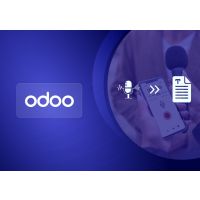
Communication is an essential part of modern life, but typing long messages or emails can be cumbersome. The Voice to Text Chatter Extension for Odoo simplifies this process by converting spoken words into text. Powered by the Google Web Speech API, it ensures accurate and relevant chat messages, enabling faster communication. With its user-friendly design, the plugin offers a seamless and efficient way to enhance messaging speed and convenience.
Features
• Voice-to-Text Conversion – Transforms spoken words into text effortlessly.
• Accurate Messaging – Ensures precise and relevant chat messages.
• Effortless Chatting – Reduces the need for manual typing.
• Enhanced Communication Speed – Speeds up conversations for greater efficiency.
• User-Friendly Interface – Simple and intuitive design for ease of use.
• Seamless Odoo Integration – Enables smooth communication between internal Odoo users.
The extension allows you to convert spoken words into text directly in Odoo chatter using the Google Web Speech API, making communication faster and easier.
How do I use the voice input feature?
Click the microphone button in the message box, speak your message, and it will be converted into text. Say "GO" to send immediately, "RESET" to discard, or "STOP RECORDING" to stop manually.
Which browsers are compatible?
It works on Web Speech API-enabled browsers such as Google Chrome and Safari. Please note that most browsers require HTTPS for microphone access.
Do I need to install anything extra?
No extra setup is needed apart from installing the Voice Speech module in Odoo.
Which Odoo versions are supported?
The module is fully compatible with Odoo 19.0 (both Community and Enterprise editions) and can be installed without any difficulty.