
Magneto 2 Special Price Countdown Extension
Kategorien
Magento
WordPress
SAP Commerce
Odoo
Shopify
Typo3
Shopware
nopCommerce
Pimcore
Hyvä
OXID eShop




















































































Product specification
Magento 2 Special Price Countdown Extension is a Magento 2 extension developed by PIT solutions which enables admin users to inform customers about the special price end date via a countdown timer on product view page.
By providing a countdown timer directly on the product page of a store, the Magneto 2 Special Price Countdown Extension also allows the user to easily inform customers of limited time offers. By providing the available time left on a special price it creates transparency for the customer, who can see how much time remains until that offer ends, and does not require any additional banners or manual messaging to do so.
Admins can also control the visibility of the countdown timer on each product where a special price is defined by using this extension, which allows for flexibility in how promotional offers are displayed. The extension supports many types of products including Simple, Downloadable, Virtual, Configurable, Bundled and Grouped products; therefore all products behave in a similar manner regardless of the type of product.
Admin users can enable or disable the extension from the backend at any time. Access control options allow store owners to manage which admin roles are permitted to configure or manage the countdown timer. This helps maintain proper control in multi-user admin environments. The countdown timer updates automatically based on the special price end date configured for the product, eliminating the need for manual updates once the offer is set.
The Magneto 2 Special Price Countdown Extension integrates smoothly with the product view page and works alongside existing pricing configurations. It provides a simple way to highlight promotional pricing periods while keeping configuration and management straightforward for admin users.
Features
- Enables admin users to show a countdown timer until special price offer ends.
- Option to Show/hide countdown timer for individual products on offer. Provide option to configure timer for Simple, Downloadable, Virtual, Configurable, Bundled and grouped products
- Enable/ Disable the extension
- Supports access control for admin users.
Installation
To install special price countdown module follow the steps below.
- Download Special price countdown module extension and unzip it.
- Access your web server directories and upload the content of the folder into app/code/Pits/SpecialPriceCountdown/ directory.
- Run the following commands to complete the installation.
- Enable the module - php bin/magento module:enable
- Update of the database - php bin/magento setup:upgrade
- Generate and pre-compile classes - php bin/magento setup:di:compile
- Deploy static files - php bin/magento setup:static-content:deploy
Configuration
From the admin backend, go to Stores > PITS Configuration > Special Price Countdown Configuration
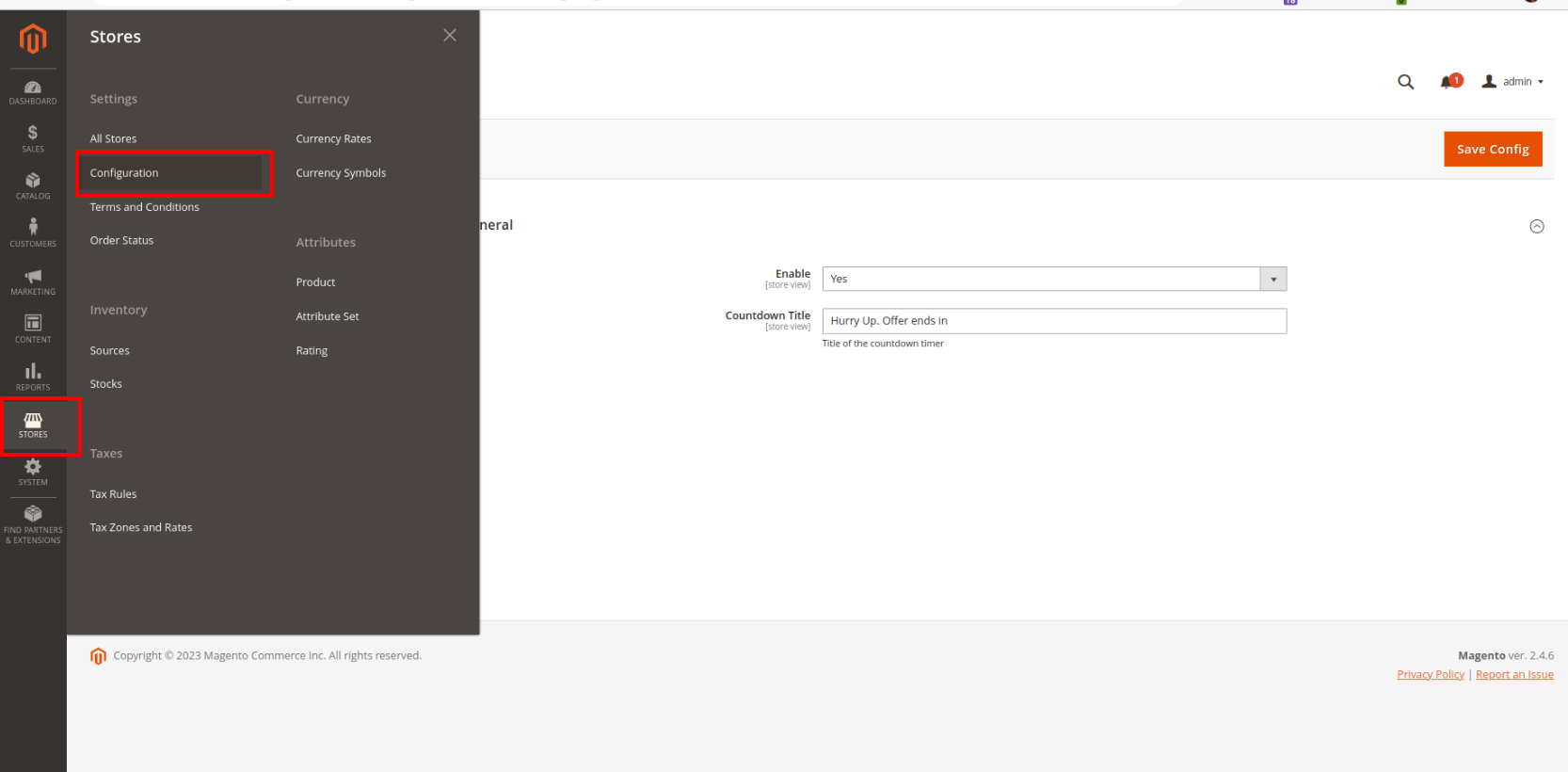
Figure 1
Configure Special price countdown timer
General Configuration
- Enable - Select Yes to Enable the module
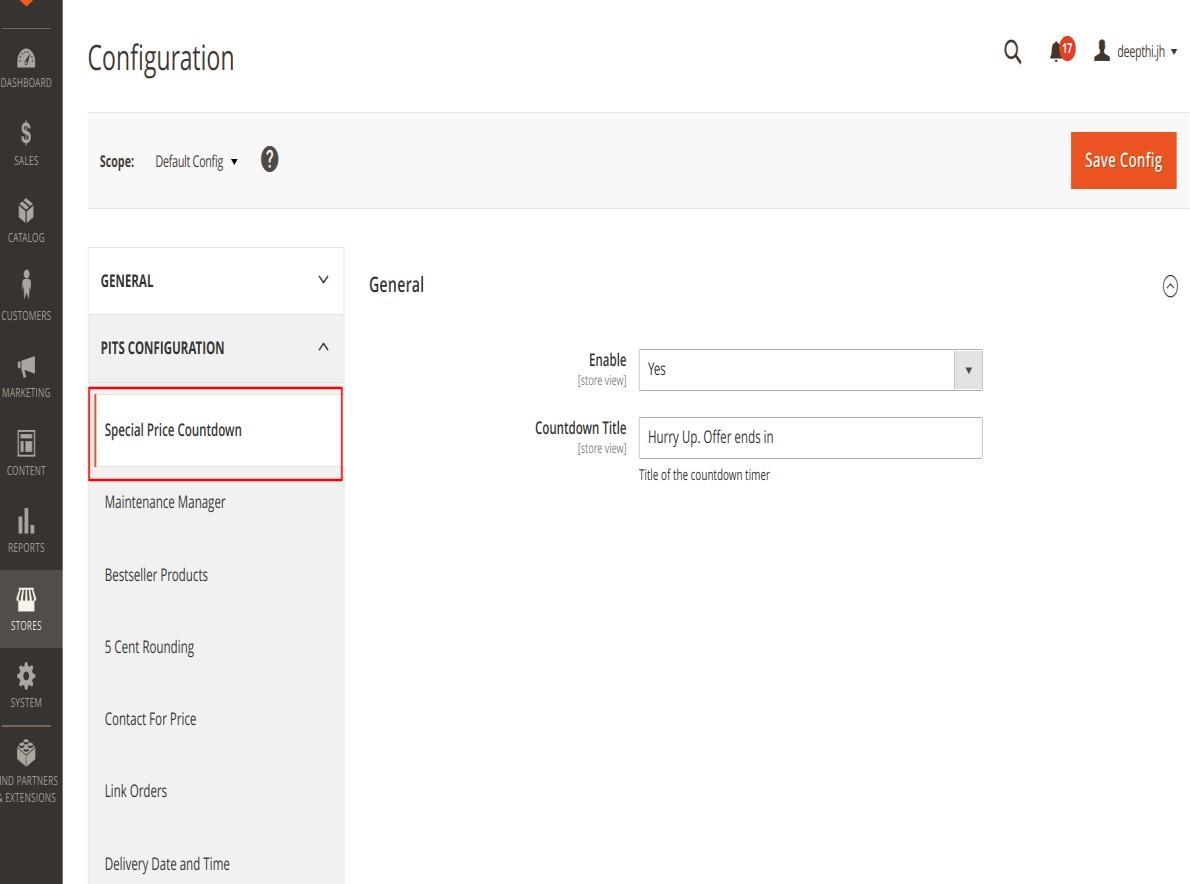
Figure 2
- Countdown Title – Enter title to be displayed in product view page
- Click Save Config and clear the cache
Product Configuration
- Configure Advanced pricing
- Open the product in edit mode.
- Under Price, click Advanced Pricing.
- Enter the special price to offer a discounted price during a specified time period
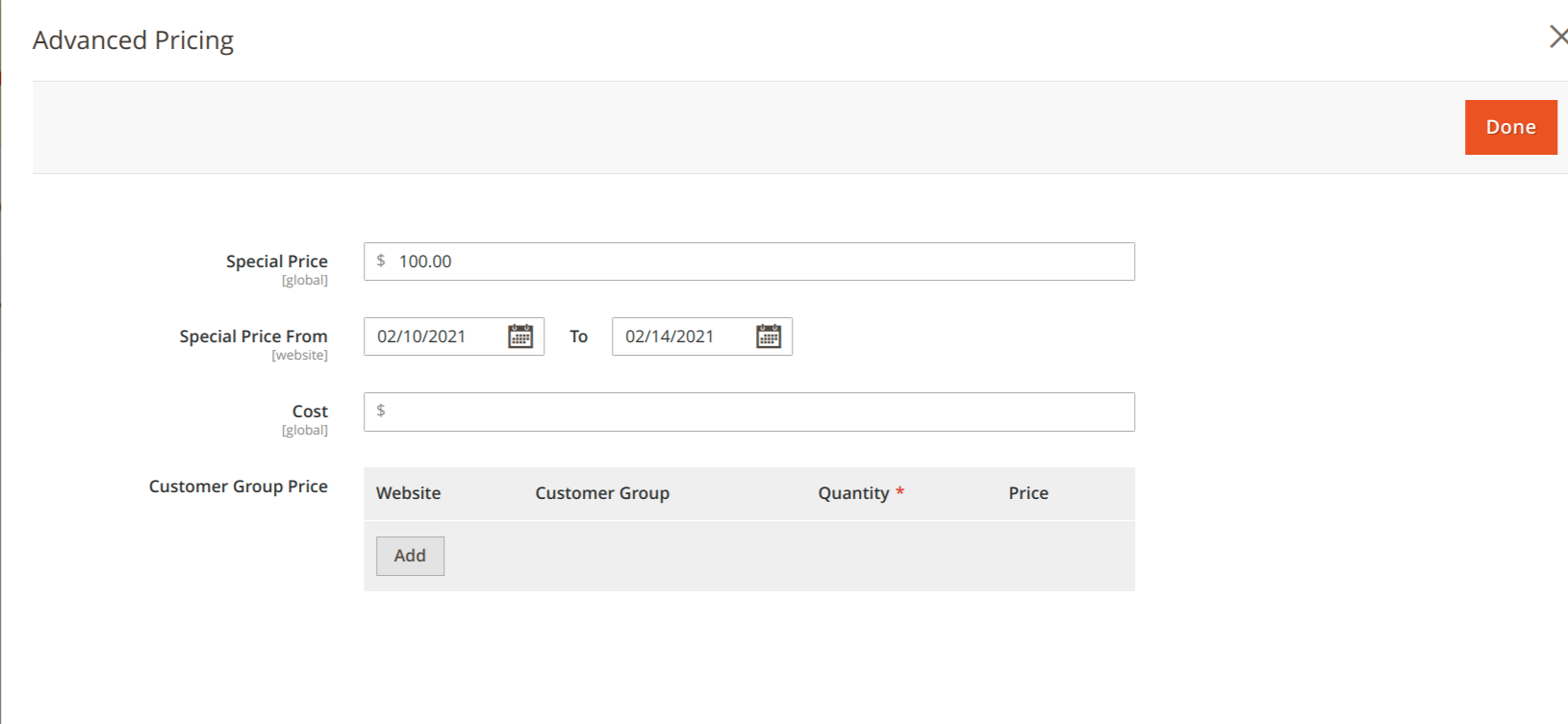
Figure 3
- Activate Countdown timer
- In order to display special price timer on product view page set Display Special Price Countdown Timer field to Yes
Note: For Configurable and grouped product you need to activate countdown timer for both parent and child products and timer will be based on child product price.
Special price timer will be displayed to bundle product based on special price end date provided in parent product.
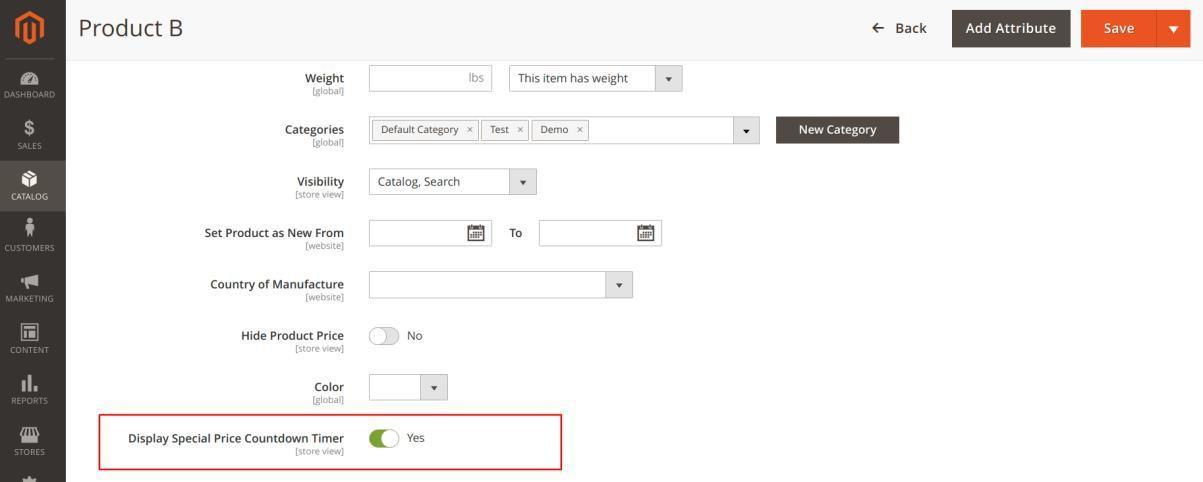
Figure 4
The timer will be displayed in the frontend as below.
- For Simple and Downloadable Products
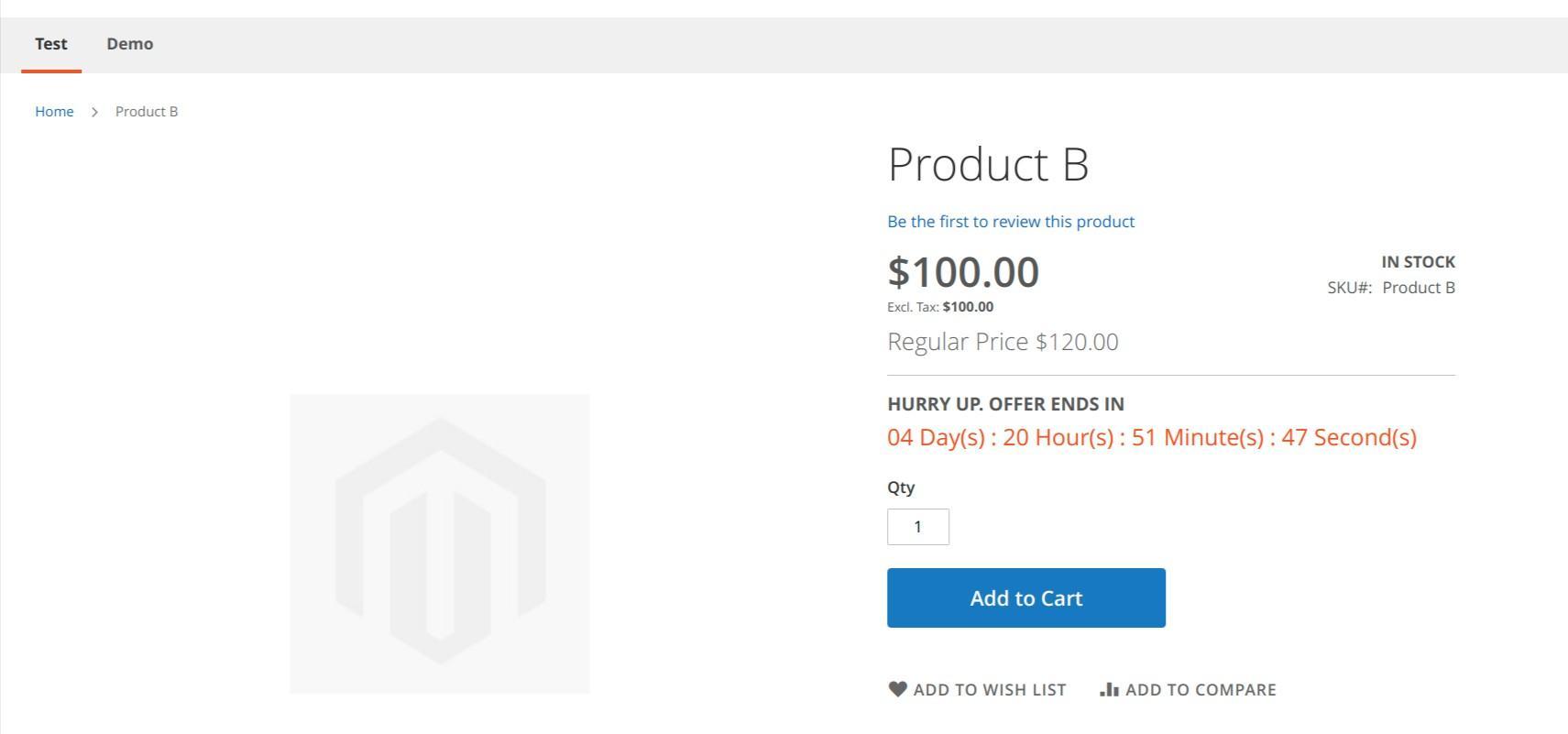
Figure 5
- For Configurable Products.

Figure 6
- For Bundle Products

Figure 7
- For Grouped Products

Figure 8
Manage User Role
Step 1: Go to Admin > System > User Roles
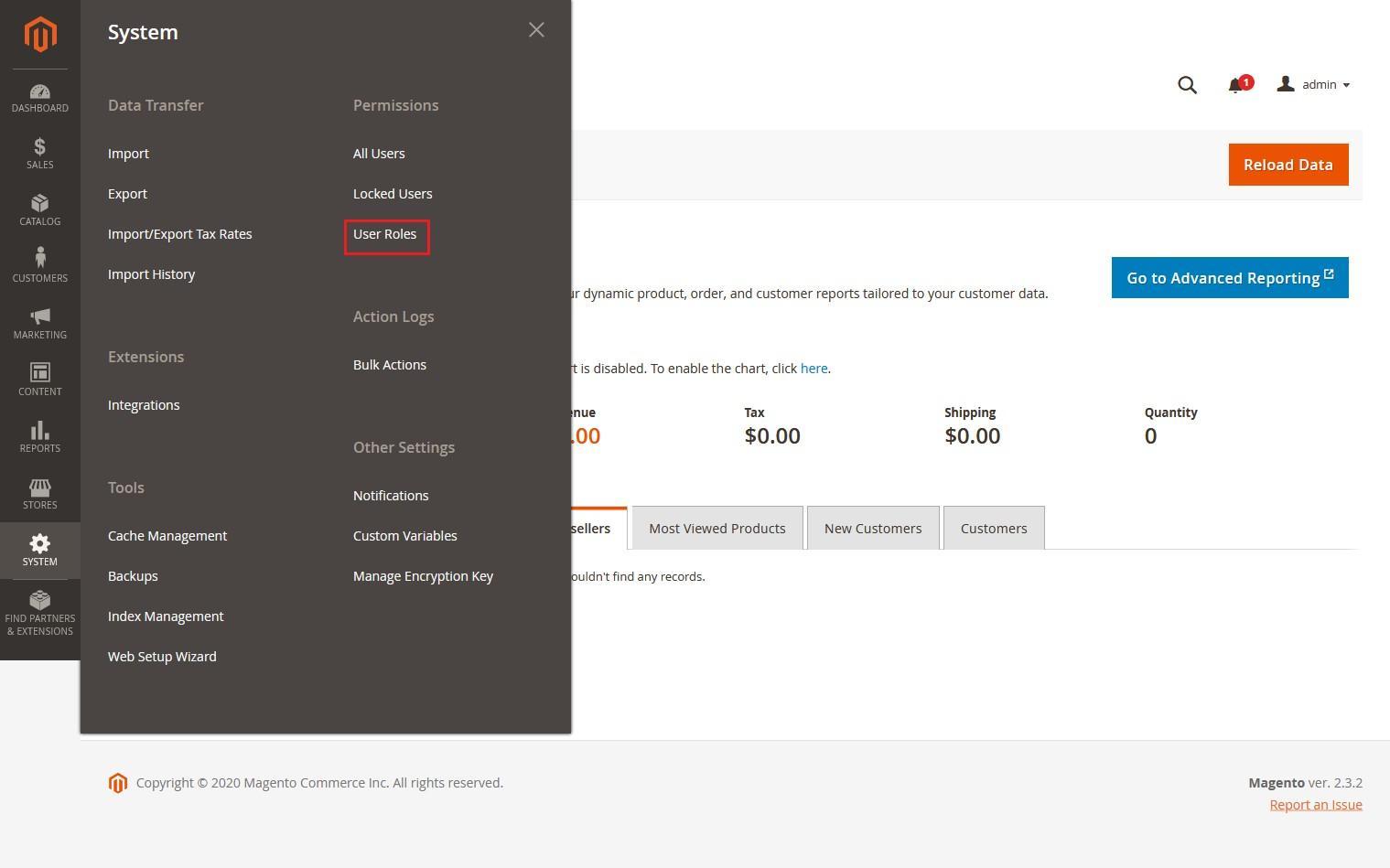
Figure 9
Step 2: Add a new role resource. Fill in the role information section.
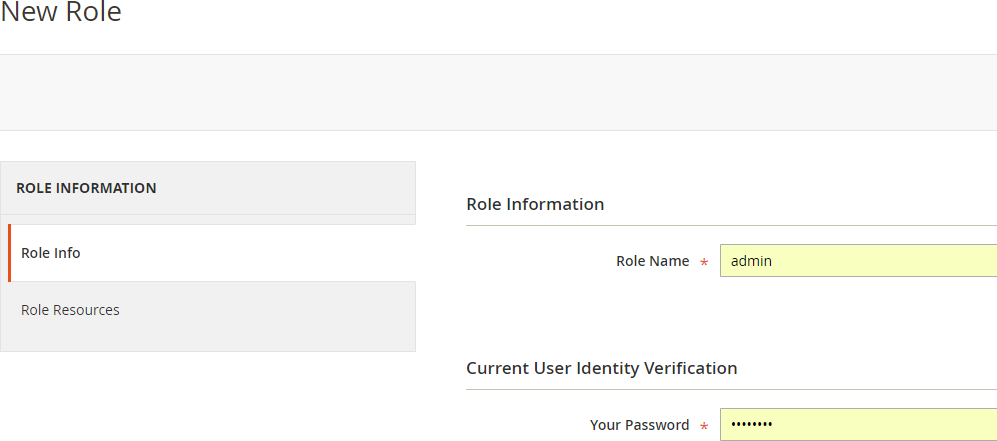
Figure 10
Select Special Price Countdown role at Role Resources section.
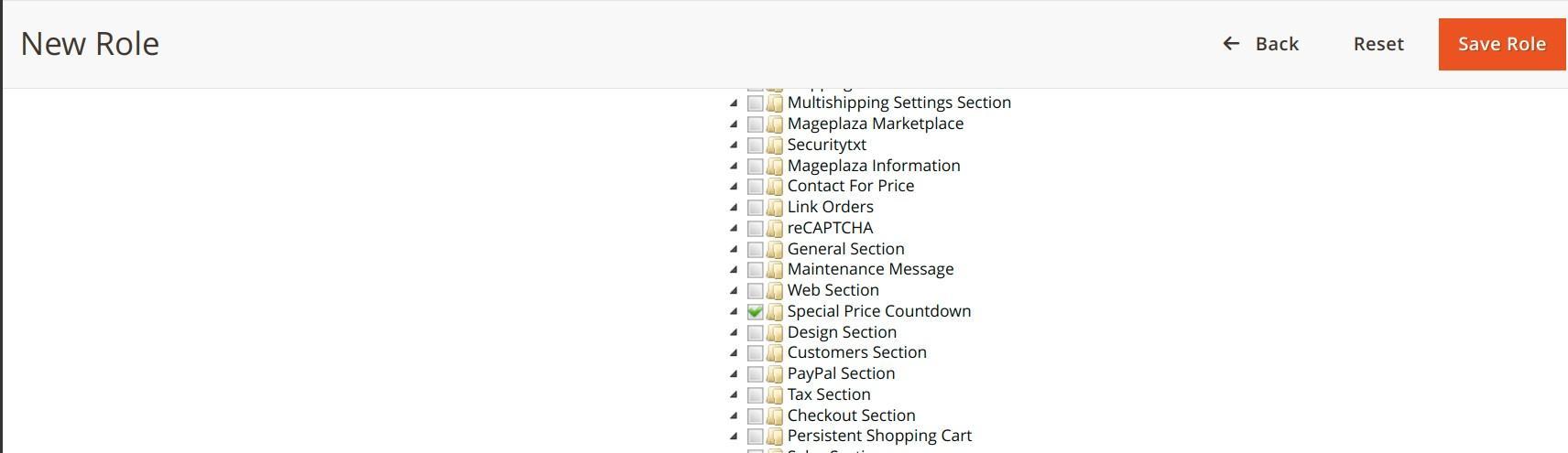
Figure 11
Step 3: Set role users for admin accounts, then click on Save Role to finish
Technical Requirements / Compatible with:
Magento Open Source 2.4.4 to 2.4.9 (CE)
Supported Languages
English, German, French and other language support available on request
Change Log / Release Notes
Version: 1.0.7:September 2026
- Compatible with Magento Open Source (CE) for version 2.4.4 - 2.4.9
Version: 1.0.6: July 10,2025
- Compatible with Magento Open Source 2.4.4 to 2.4.8-p1(CE)
Version: 1.0.5: December 2,2024
- Compatible with Open Source (CE) 2.4.7 p3
Version: 1.0.4: May 10,2023
- Compatible with Open Source (CE) 2.4.6
Version: 1.0.3: December 9,2022
- Compatible with Open Source (CE) 2.4.5
Version: 1.0.2: June 20,2022
- Compatible with Open Source (CE) 2.4.4
Version: 1.0.1: September 22, 2021
- Compatible with Open Source (CE) 2.4.3
Version: 1.0.0: August 31, 2021
- Compatible with Open Source (CE): 2.3.x, 2.4.2
- Stability: Stable Build
- Description: Initial release with all functionalities
Support
If you have questions use our contact form in webshopextension.com.