
3D Product View with color variant Extension
Categories
Magento
WordPress
SAP Commerce
Odoo
Shopify
Typo3
Shopware
nopCommerce
Pimcore
Hyvä
OXID eShop












































































Product Specification
The 3D Product View Module for Magento 2 allows Merchants to display their products in an interactive 3D way, which improves the shopping experience for customers by allowing customers to rotate, zoom and view the product from any angle, giving them a detailed view of its attributes and design.
After installation, this module provides a 3D product viewer which can be used to change how you see the product dynamically. Users can move the product with the mouse (or touch) and perform 3 operations: zoom, rotate left and right. This functionality gives your customers an easy way to view the product in a more dynamic manner than traditional images permit.
This is mainly useful when images are not enough. Some products need more viewing angles. Flat images do not always show depth or shape properly. That is where the 3D view helps. Customers can spend time checking the product before buying.
The viewer works on desktop and mobile. Same layout, no special mobile version needed. It also works across common browsers. No separate browser settings are required.
Color variants are handled through the 3D file itself. Admin users can add color options from the backend. For this to work, the 3D model must have different mesh layers. These layers are used to apply colors. If the model does not have them, color switching will not work. Once configured, customers can change colors on the product page and see the update immediately.
This extension supports Magento multistore. One setup can be used across multiple store views. Installation follows standard Magento steps. No core files are changed.
This module does not remove existing product images. Images still stay. The 3D view is added alongside them. Configuration is minimal and stays in the admin panel.
Features
Here is a comprehensive list of the features included in the 3D Product View extension:
- Interactive 3D Viewer: Display products in a dynamic 3D environment, allowing customers to rotate and zoom for a comprehensive view.
- Responsive Design: The 3D viewer is optimized for various screen sizes and devices, ensuring a seamless experience across desktops, tablets, and smartphones.
- Easy Integration: Integrate the module seamlessly into your Magento 2 store with simple installation steps.
- Cross-browser Compatibility: Compatible with major web browsers, ensuring consistent performance and functionality for all users.
- Custom Colour Variant: Allows admin to add custom options with colour variations on the product page. (Please ensure the 3D file has different mesh layers to identify areas for colour changes.)
- Product Type: It works only with simple and configurable products.
- File Type: It works only with GLB and GLTF files (zip file not support).
- Multistore: It also works with the multistore view.
Admin Panel Configuration
Stores -> Configuration -> Pits Configuration -> 3D Product View
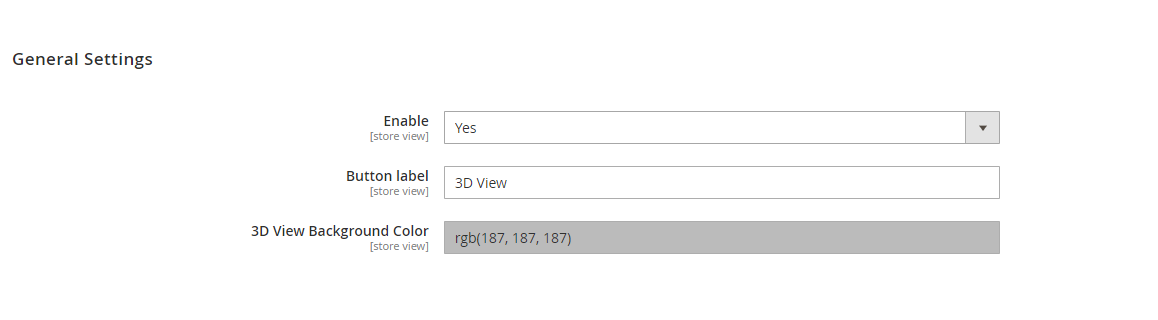
Figure 1: Admin panel configuration
Figure 1. displays the admin configurations of the extension, which specifies location or placement of the Product Designer feature.
General Settings
- Enable – Enable / Disable module.
- Button Label – The text of the button which show on the frontend can be changed here.
- 3D view Background colour- The default background colour for 3D view popup
How It Works in Backend
Administrators can add the 3D file in Product Add/Edit page. On this page, there exists a section named ‘3D Product View.' Within this section, an attribute named '3D Graphic file' is provided, allowing administrators to add the 3D GLB or GLFT file. Also have attribute for background colour ‘3D Image Background Colour’ to change the background colour for a specific product.
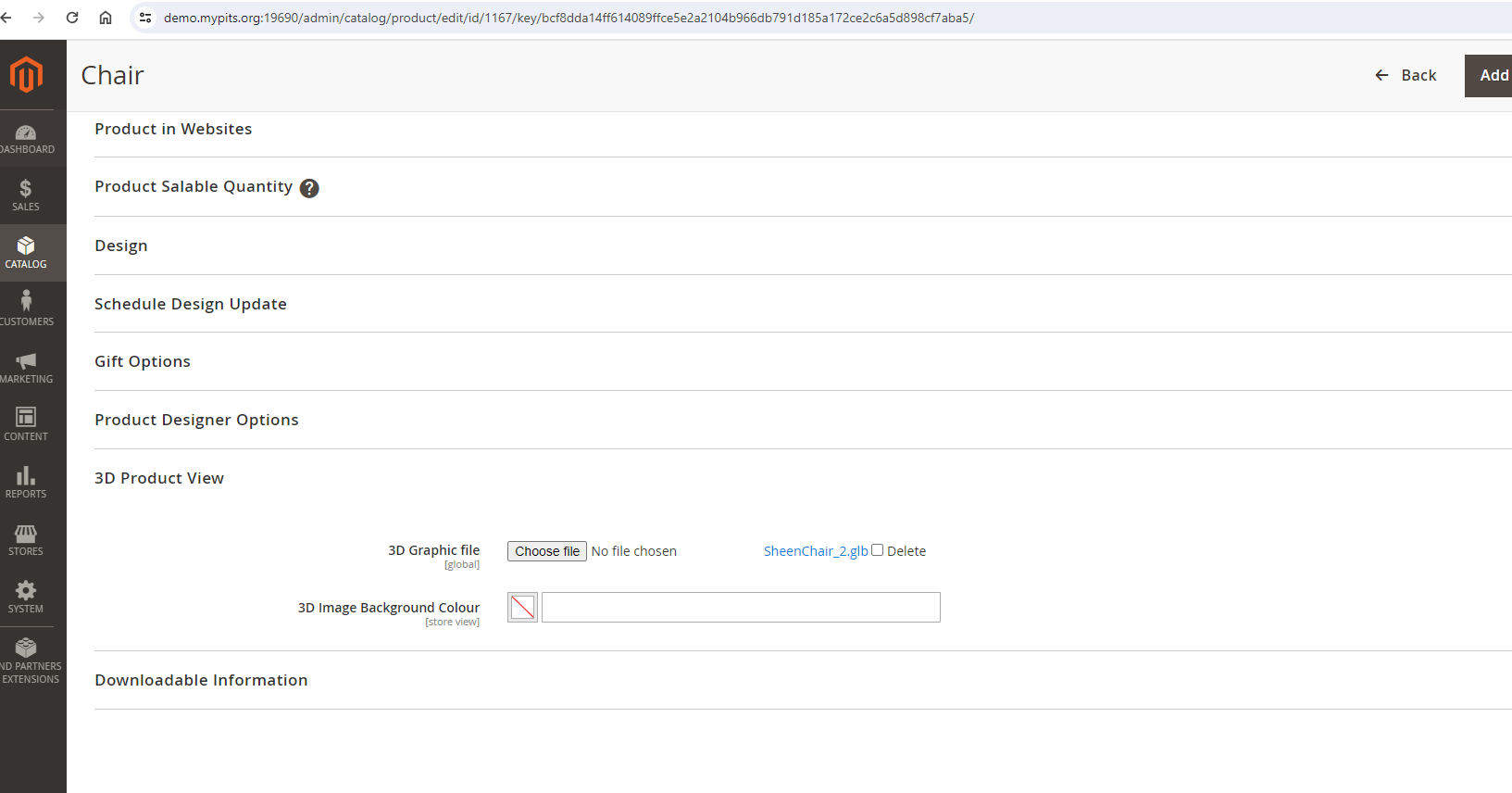
Figure 2 – Product Edit Page with 3D view options
For configurable products, 3D product views can be set at both the parent and variant levels. When 3D files are added to the parent product, they are displayed by default on the product page. If a specific variant (child product) has its own 3D file, that file will be shown instead when the variant is selected. However, if a selected variant does not have a 3D file the 3D view will not be displayed. This setup ensures that the 3D view appears only when available, based on whether it is defined at the parent or variant level.
Custom Colour Variant
Administrators have the functionality to provide colour options for 3D files using custom options. Please ensure the 3D file has different mesh layers to identify areas for colour changes. Once the 3D file is attached, add the custom option with the 'Select' option. Different mesh values will appear as a dropdown, allowing you to choose the mesh value and corresponding colour. Only drop down and radio custom option will work for colour change. Also, please make sure to select only one mesh layer for a given custom option.
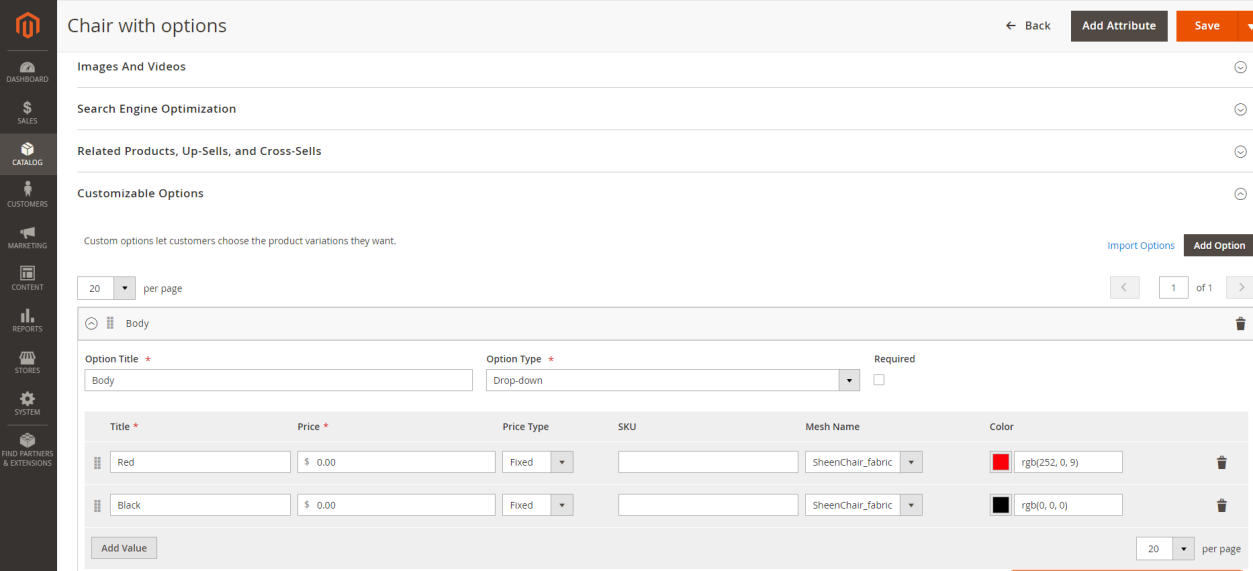
Figure 3: Add Custom
How It Works in Frontend
When customers visit a product page with 3D file added, they will see a button (Figure 4). Clicking this button opens a popup (Figure 5) where customers can see the 3D product view. Also the selected custom option value will be selected in popup and vice versa
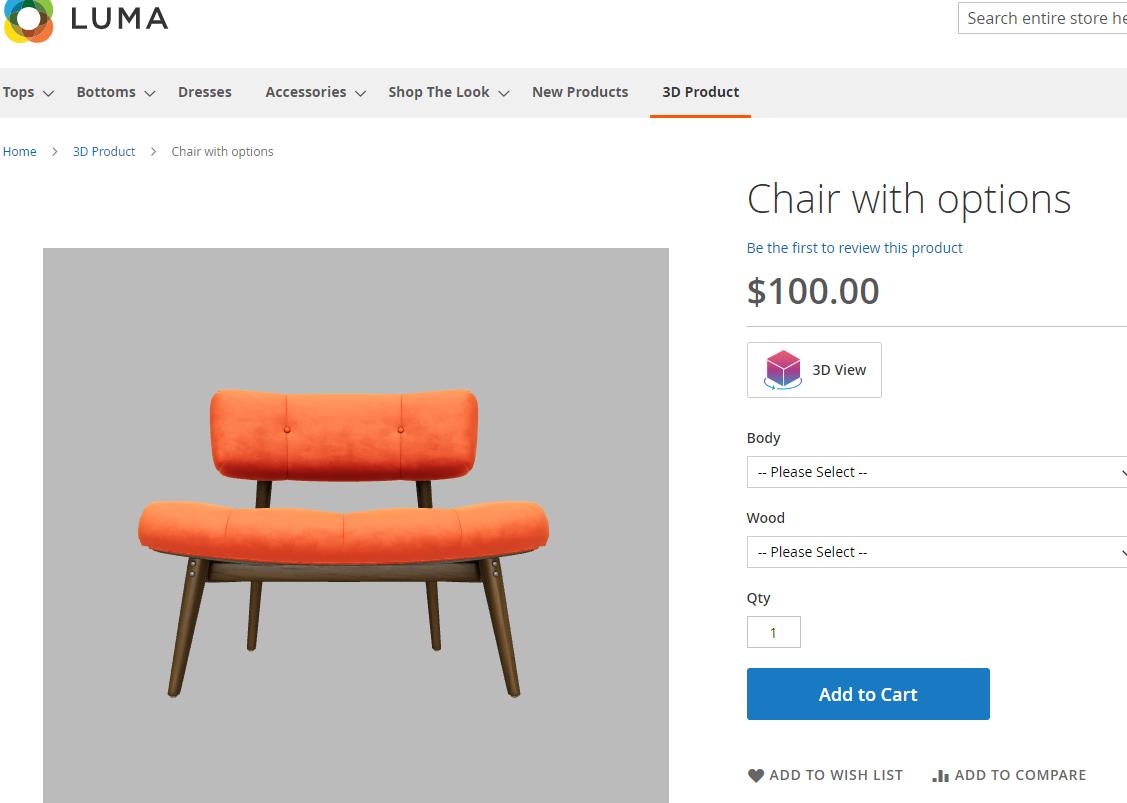
Figure 4: 3D Product View
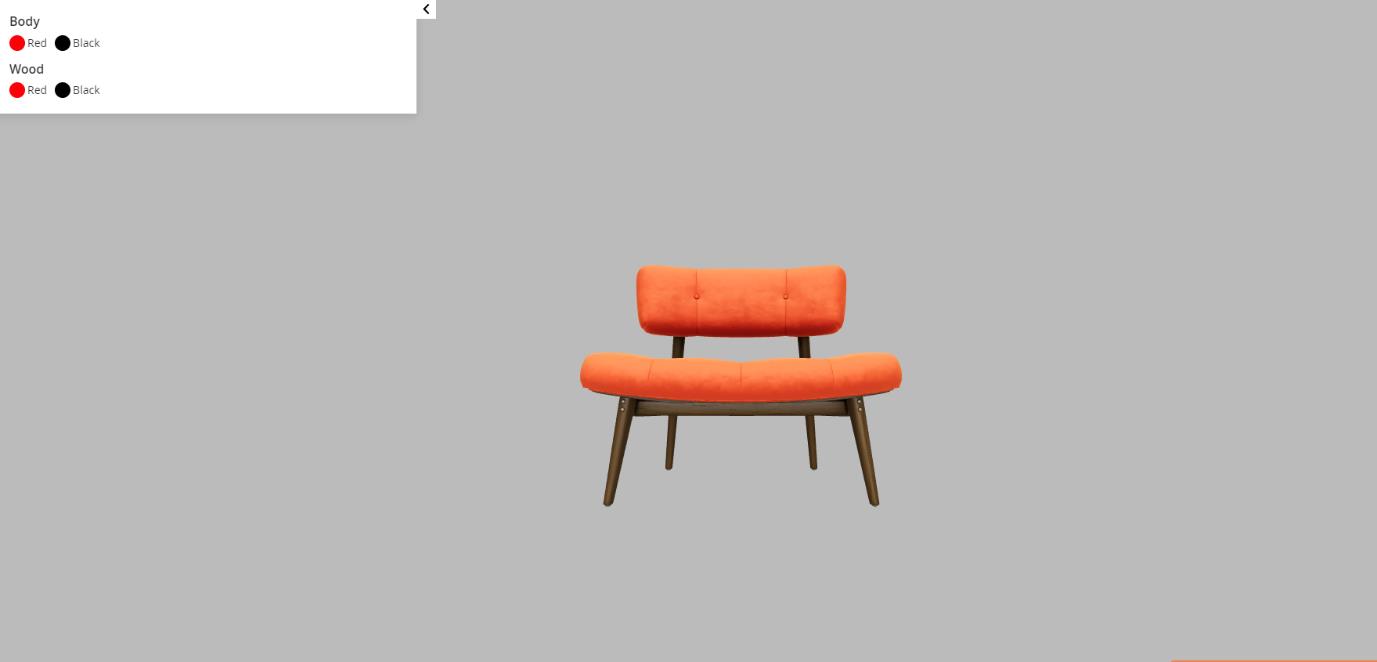
Figure 5: 3D Product View Popup
Note: This extension supports only simple and configurable products and its child products. Also, please add the 3D file with coordinates set to (0,0,0) for a better view.
Limitation
- This extension supports only simple and configurable products and its child products (please add the 3D file with coordinates set to (0,0,0) for a better view)
- Also, custom option with multiple mesh layer not support.
Technical Requirements / Compatible with:
- Magento Open Source (CE) 2.4.4-2.4.8
- Adobe Commerce (EE & Cloud) 2.4.4-2.4.8
Installation Steps
To install the 3D Product View module, follow the steps below.
1. Download the module.
2. Access your web server directories and unzip and upload the content of the zip file to app/code directory.
3. Run the below commands on terminal
- php bin/magento setup:di:compile
- php bin/magento setup:upgrade
- php bin/magento setup:static-content:deploy -f
- php bin/magento cache:clean
Supported Languages
English, German, Italian
Change Log / Release Notes
Version: 1.0.1: December, 2025
- Compatible with Magento Open Source (CE): 2.4.4 to 2.4.8
- Compatible with Adobe Commerce (EE & Cloud) for version 2.4.4-2.4.8.
Version: 1.0.0: May, 2024
- Initial version
Support
If you have questions, use our contact form in https://www.webshopextension.com/ or email to [email protected]