
Magento 2 Cart Weight Shipping Price
Categories
Magento
WordPress
SAP Commerce
Odoo
Shopify
Typo3
Shopware
nopCommerce
Pimcore
Hyvä
OXID eShop



































































































Product specification
Cart Weight Shipping Price is a Magento 2 extension developed by PIT solutions which will calculate shipping rates price per unit for a specified weight range. It helps the admin to create/add custom shipping rule methods from the admin panel. The admin can map the weight range to a price per unit. For example, the price per unit for weight range from 1 to 5 is $4 and the customer cart total weight is 3 lbs then the shipping price is 12(weight*price per unit). Also, you set a constant price per unit when no weight range.
Store owners utilizing this magento 2 extension will benefit by calculating their shipping costs based upon the total weight of the cart rather than having to rely on a predetermined shipping rate. Store Admins can create multiple weight-based pricing rules, which allow for automatic deductions based upon the total weight of each order placed but, will still allow the store owner to have fair shipping charges whether they are shipping a light order or a heavier order.
This extension allows the merchant to set up multiple weight brackets and then define a price per each weight bracket in terms of the number of units shipped. If neither of the defined weight brackets are applicable to a given order, a flat shipping cost per unit will be used to calculate shipping costs. By using this approach, it is guaranteed that shipping costs will always be calculated accurately, even if there are special circumstances. Additionally, a minimum shipping price can be established to avoid charging an unreasonably low price for very small orders.
All configurations are setup directly in the Magento backend, which means that you do not need any technical expertise or programming skills to maintain this magento 2 extension. Any modification of your pricing rules will be visible immediately on your storefront. Overall, this extension gives store owners complete control over their shipping logic through an easy-to-use method of managing weight-based shipping costs.
Features
- You can easily enable/disable this extension from the admin panel.
- Can map the weight to price per unit.
- Can set a constant shipping price per unit if no weight range.
- Can set a minimum price value.
- No coding is required to change prices.
Installation Requirements
- Compatible with: Magento Community 2.4.4 - 2.4.8.
- No Third-Party plugins required. This extension is self-sustained.
Installation Steps
To install Custom shipping rates module, follow the steps below.
- Download Custom shipping rates module.
- Access your web server directories and unzip and upload the content of the zip file to app/code/Pits/Customshipping/ directory.
- Run below commands on terminal
- php bin/magento setup:upgrade
- php bin/magento setup:di:compile
- php bin/magento setup:static-content:deploy
Screenshots / Video
- Login to the Admin and choose Stores → Configuration.
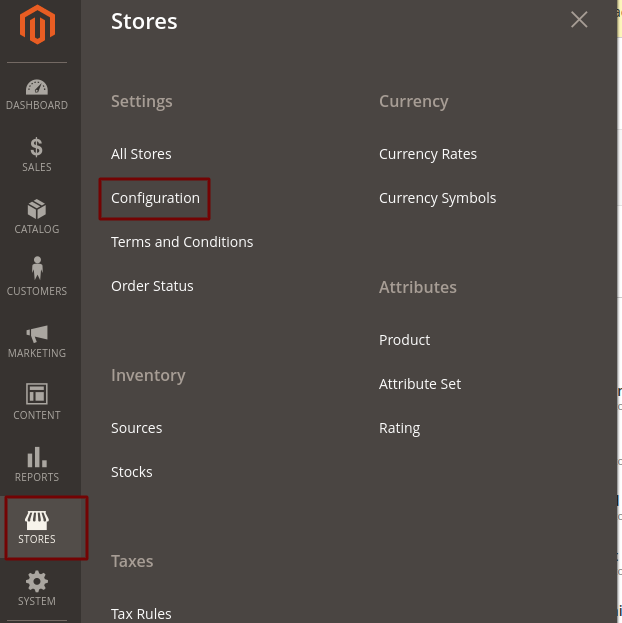
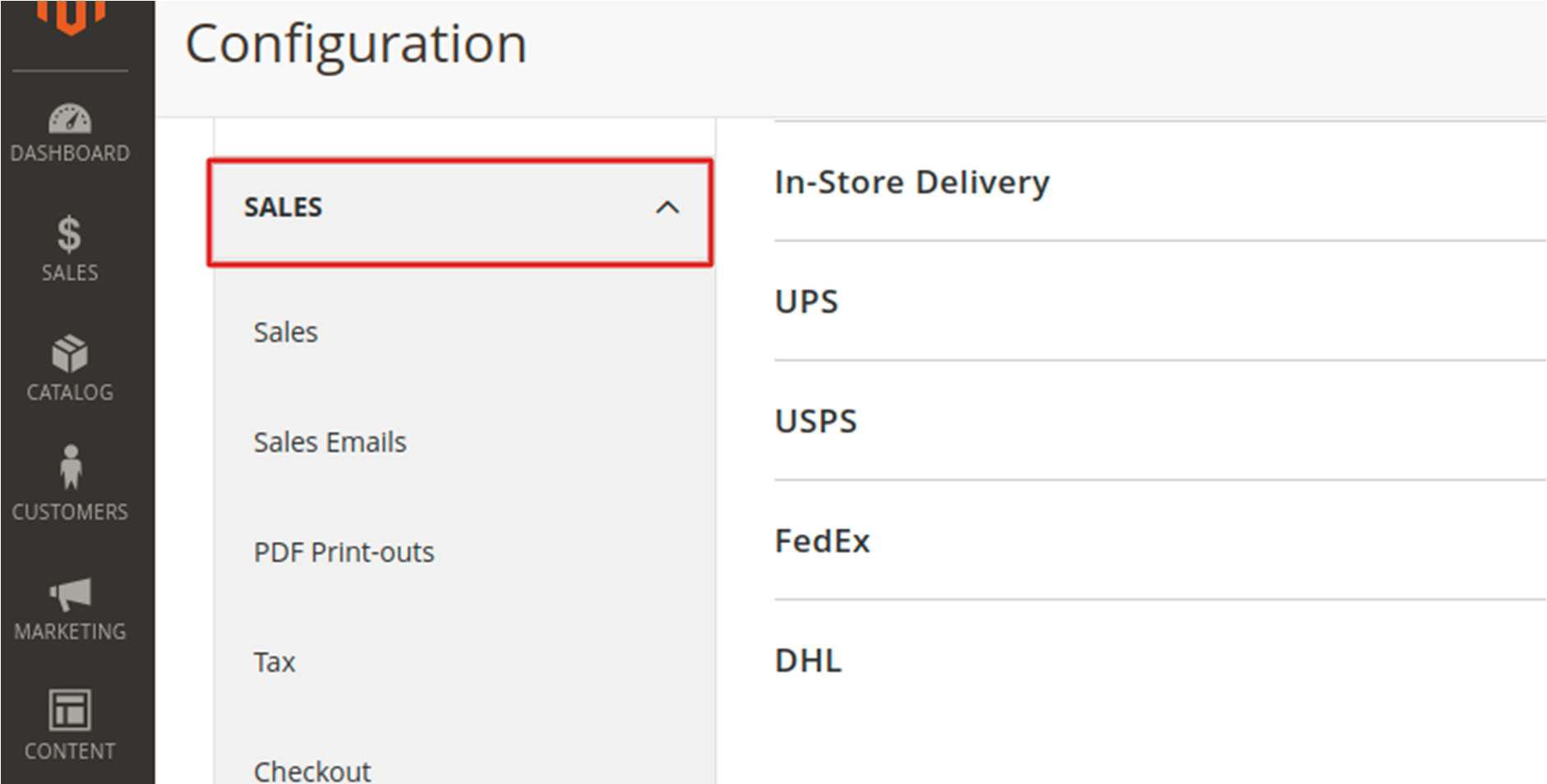
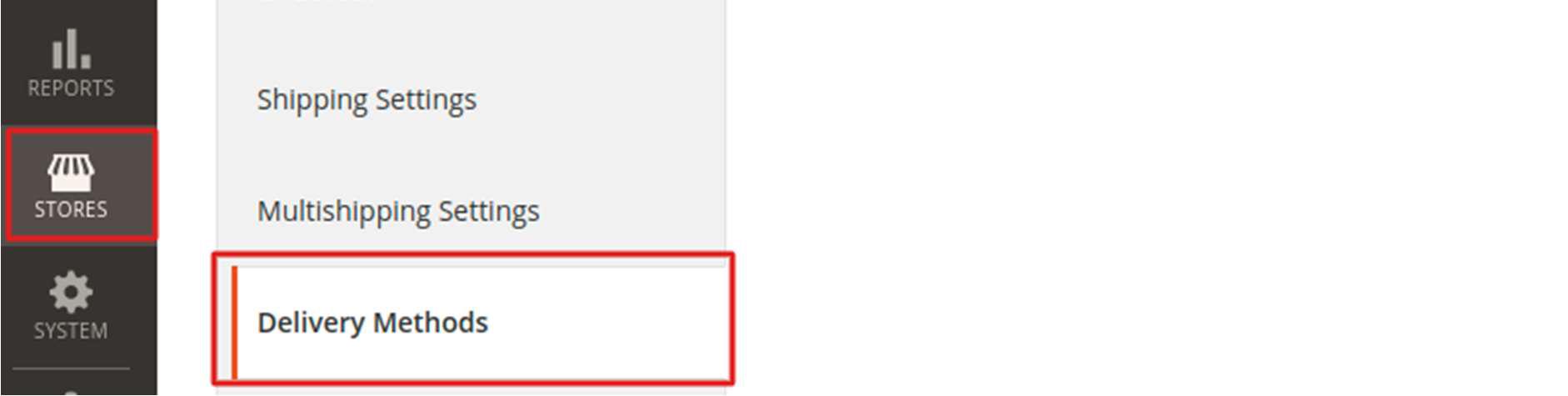
Navigate to Sales → Shipping Methods Or Delivery Methods → Custom Shipping .
Please see the below screenshots:
- Configure the custom shipping method.
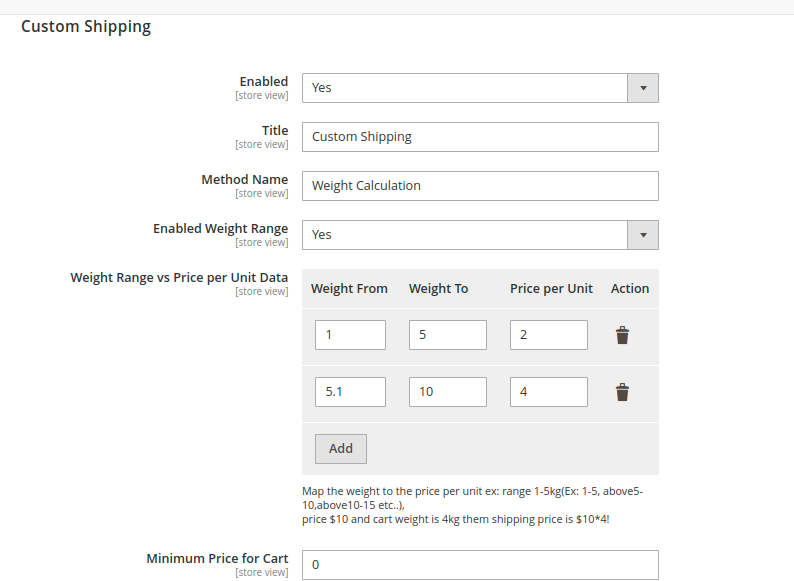
- Enabled - To enable the module
- Title - Enter the shipping method title, this name will show in frontend.
- Method Name – Enter the method name, this name will show in frontend.
- Enabled Weight Range – By enabling this configuration, you can add different weight range prices in ‘Weight Range vs. Price per Unit Data’ section.
- Weight Range vs. Price per Unit Data – You can map the weight to the price per unit. Please see the below image.
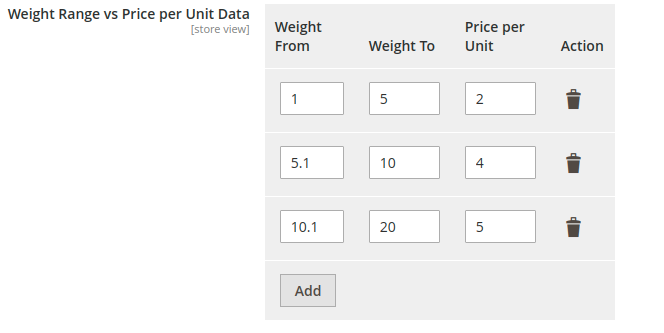
Shipping price will be calculated based on the total weight of the products in the cart. For example, assume we have two products Product A and Product B with weights 2 and 4 respectively. Then the total product weight is 6. The shipping price is then calculated using the equation total weight * price per unit. That is, 6 * 4 = 24
- Price Per Unit – If you have not enabled the ‘Enabled Weight Range’, then you can give a static price per unit value.
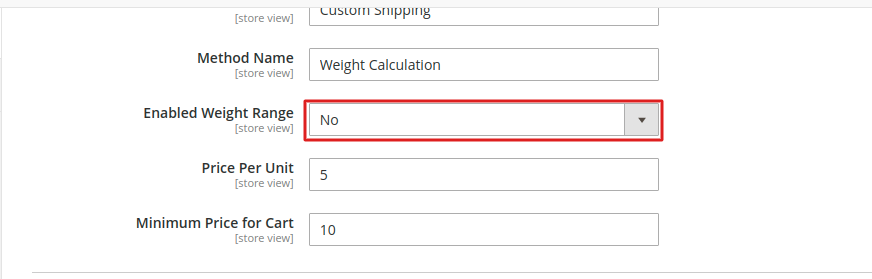
- Minimum Price for Cart – This value will be taken as shipping price when calculated shipping price is less than minimum price for cart mentioned here or the total product weight in the cart is not in the specified weight range
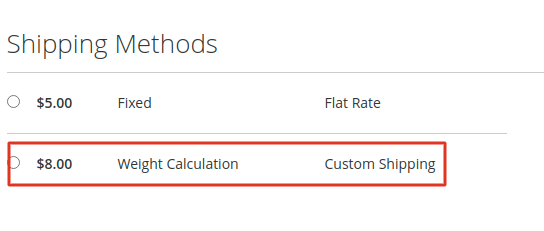
Go to the checkout page and enter the shipping details and check shipping method.
Release Notes
1.0.8
Stability: Stable Build
Description: Compatible with Magento Open Source (CE) 2.4.8.
1.0.7
Stability: Stable Build
Description: Compatible with Magento Open Source (CE) 2.4.7-p3.
1.0.6
Compatible with Open Source (CE): 2.2.x to 2.4.x
Stability: Stable Build
Description: Updated translations.
1.0.5
Compatible with Open Source (CE): 2.2.x to 2.4.x
Stability: Stable Build
Description: Compatibility check 2.4.6
1.0.4
Compatible with Open Source (CE): 2.2.x to 2.4.x
Stability: Stable Build
Description: Compatibility check 2.4.5
1.0.3
Compatible with Open Source (CE): 2.2.x to 2.4.x
Stability: Stable Build
Description: Compatibility check 2.4.4
1.0.2
Compatible with Open Source (CE): 2.2.x to 2.4.x
Stability: Stable Build
Description: Compatibility check 2.4.3 and updated copyright information
1.0.1
Compatible with Open Source (CE): 2.2.x to 2.4.x
Stability: Stable Build
Description: Bugfix - unserialize issue
1.0.0
Compatible with Open Source (CE): 2.2.x to 2.4.x
Stability: Stable Build
Description: Initial release with all functionalities
Support
If you have questions, use our contact form in webshopextension.com or email at [email protected]