
Categories
Magento
WordPress
SAP Commerce
Odoo
Shopify
Typo3
Shopware
nopCommerce
Pimcore
Hyvä
OXID eShop




































































































1. Product Specification
Customer Specific Shipping Restriction extension developed by PIT Solutions which helps admin users to show or hide shipping methods for certain customer groups in frontend.
This Magento 2 Shipping Restrictions Extension is handy for merchants who want to have control in shipping options for different customer types. Limiting shipping methods by customer groups, retailers can make sure only those shipping options that are relevant to the customers will be visible at checkout stage. This feature is a great relief to businesses that serving wholesalers, retailers, or special customer segments with different shipping requirements.
By installing this shipping restrictions extension for Magento 2, the store admin can handle shipping methods and customer groups from one single panel, thus the configuration is easy and more efficient. Shipping methods can be allowed or denied for each customer group for a more flexible experience in terms of controlling what options are shown to which users. Only activated shipping methods are listed in the backend configuration, thus the settings remain neat and easy to manage.
The plugin extends the functionality of shipping method restrictions to the website level. Thus the owners of the online store can set different shipping rules for different websites within a single Magento store. Companies which are operating in differnt regions with magento 2 website functionality can better restrict shipping locations feature without the use of complicated custom logic.
Administrators do not need to waste much time tweaking shipping visibility rules since the changes will be reflected from the frontend based on customer group assignment thus ensuring a smooth checkout experience without them affecting other settings at checkout stage.
Features
- Admin can show or hide shipping method according to customer group.
- Shipping methods and customer groups are shown in a single page for easy access.
- Only enabled shipping methods shows in the backend configuration shipping method list.
- Admin has "allow" and "deny" options.
- Admin can restrict shipping methods for each website.
2. Screenshots / Video
2.1 General Configuration
Navigate to Admin -> Stores -> Configuration -> Pits Configuration -> Shipping Restriction by Customer Group.
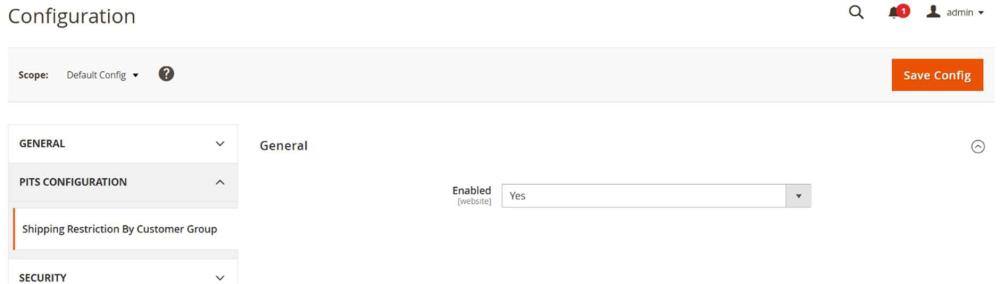
Enabled: To enable the extension select “Yes”.
2.2 Shipping Method Configurations
Can access Customer Specific Shipping Restriction from Stores > PITS Configuration > Shipping Methods by Customer Group
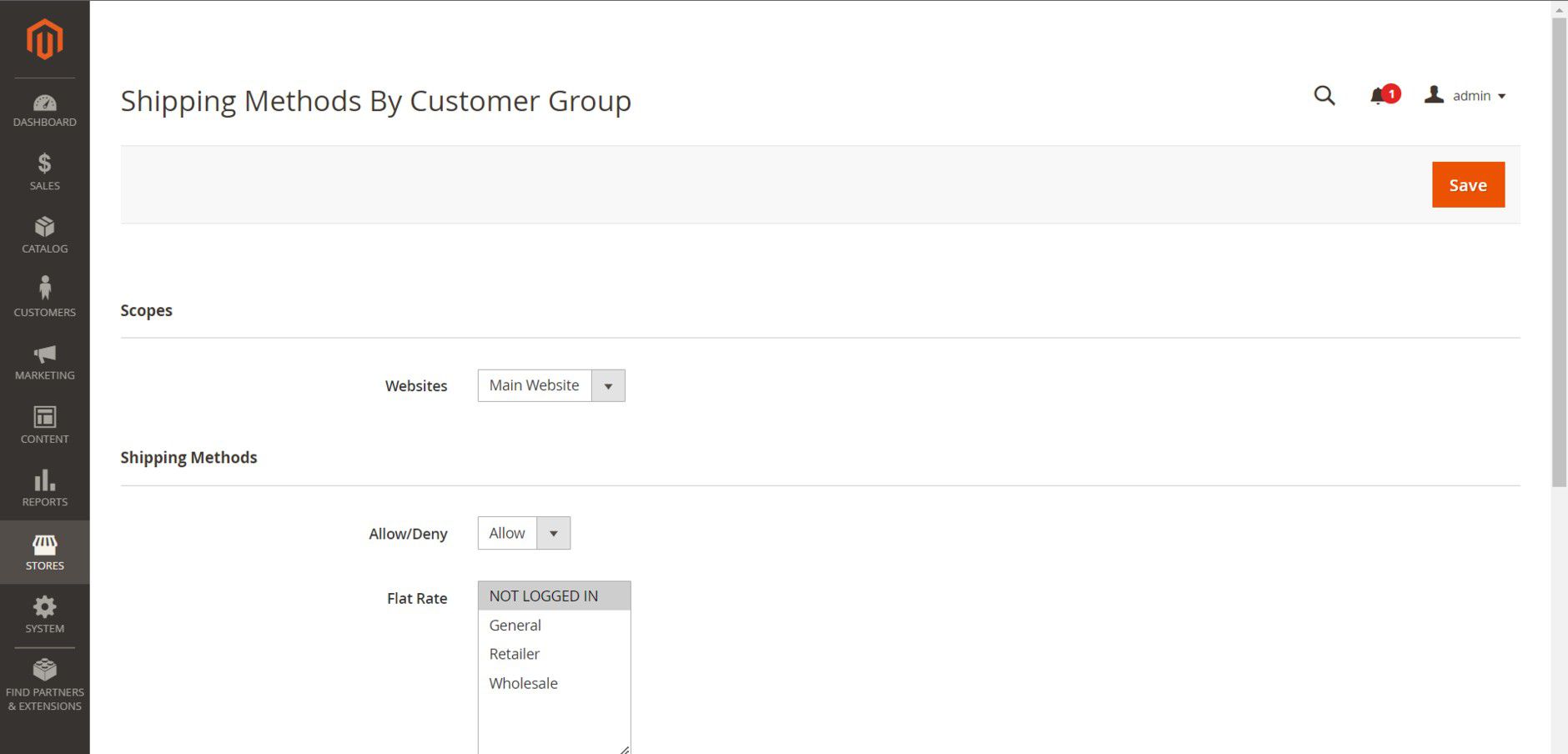
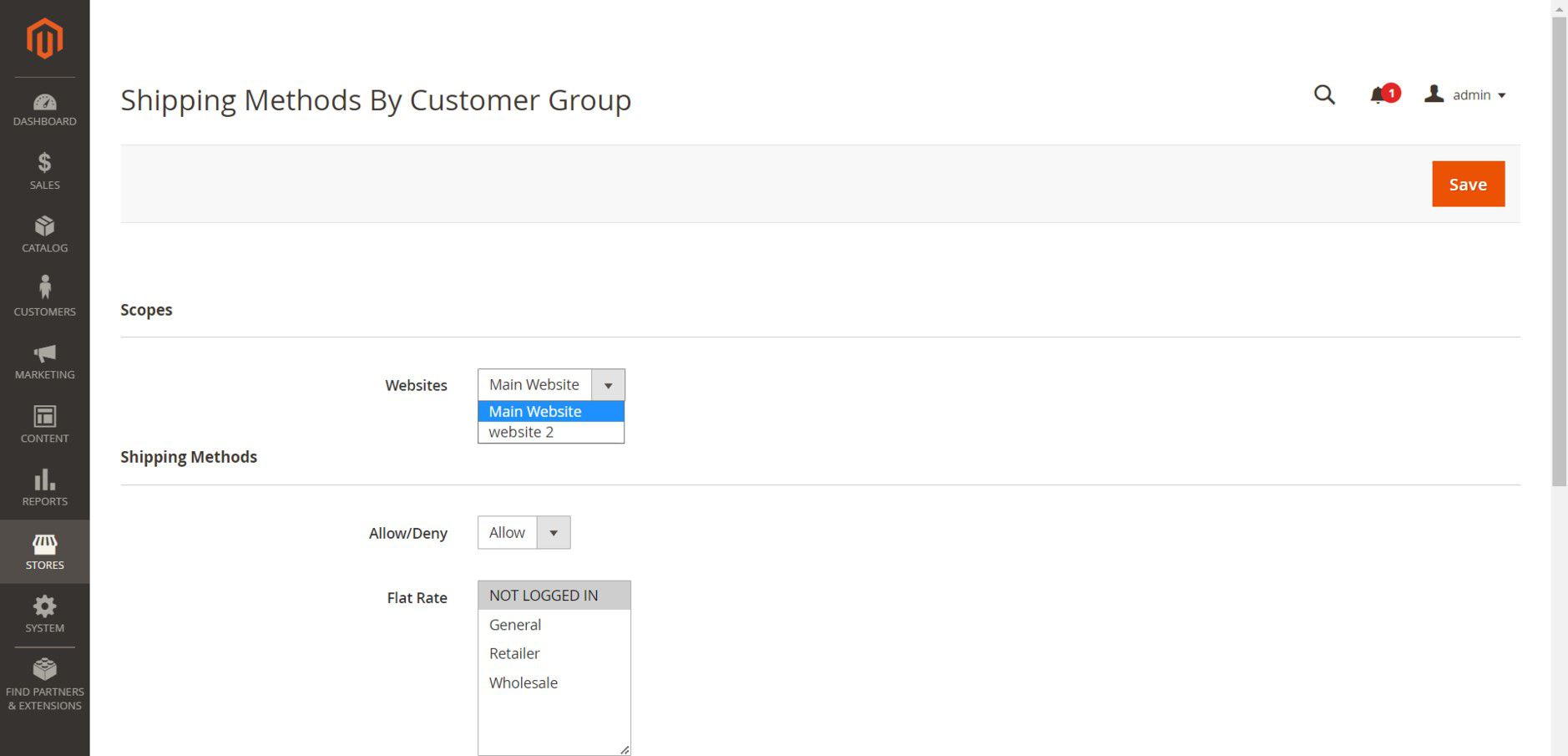
Available websites are listed in dropdown “Websites”.
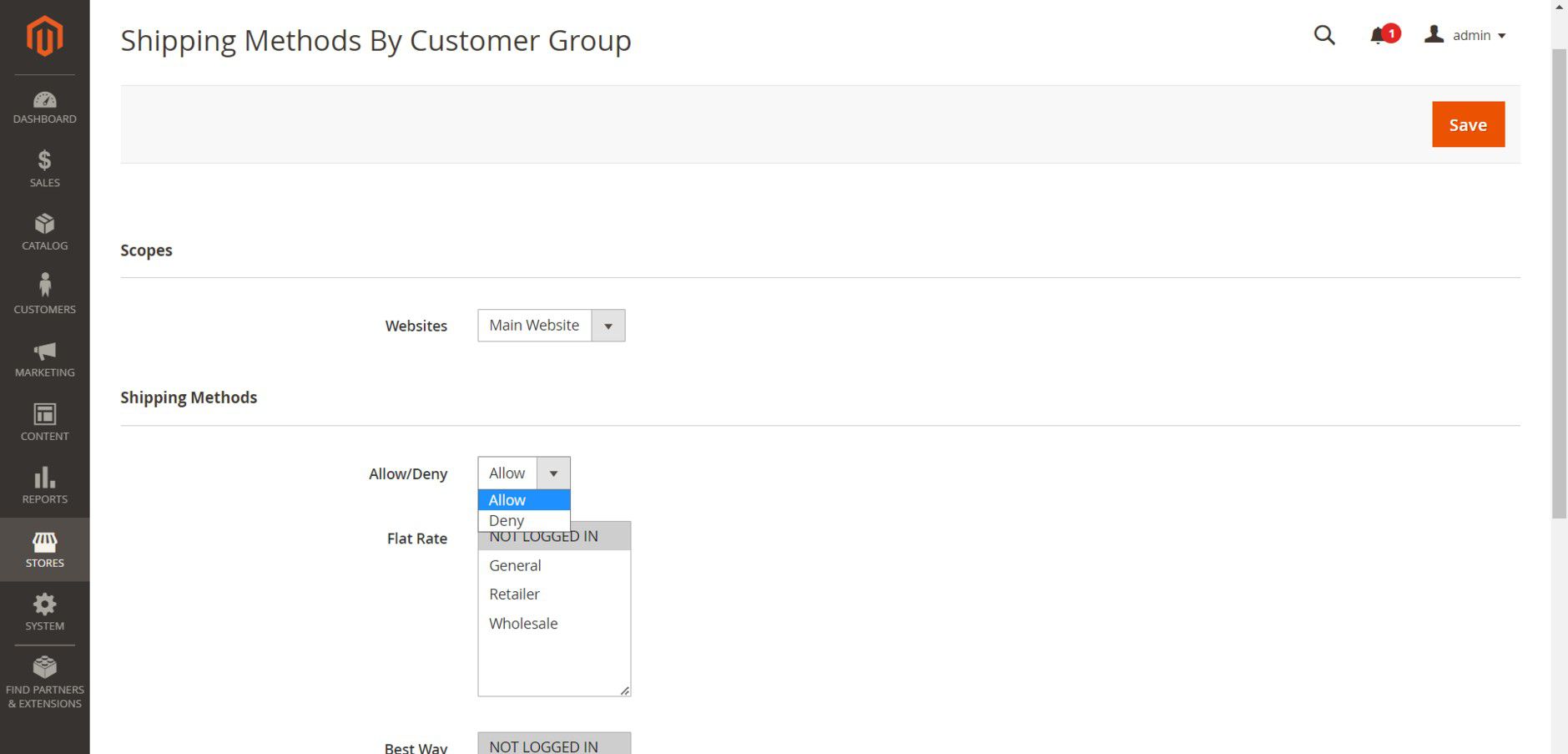
The dropdown “Allow/Deny” provides the option to Allow or Deny each shipping method for customer groups.
Enabled shipping methods are listed, and all available customer groups are listed against each shipping method.
Use case 1 : “Allow/Deny” drop-down is selected with “Deny”. None of the shipping methods are denied
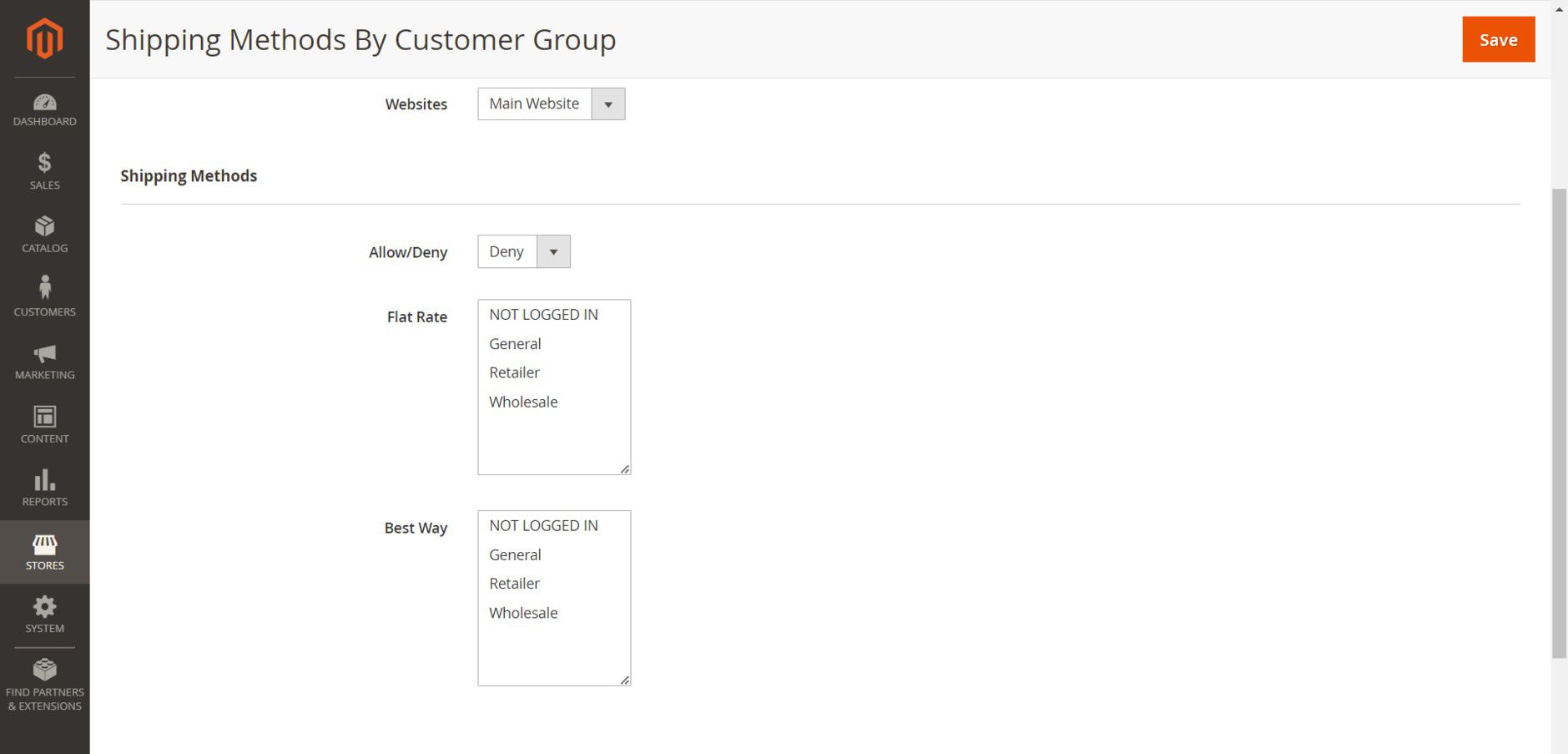
Go to Stores > PITS Configuration > Shipping Methods By Customer Group
If “Allow/Deny” drop-down is selected with “Deny”, then that particular shipping method will not be displayed in checkout for the selected customer groups. None of the shipping methods are denied here since no customer group selected in the above configuration.
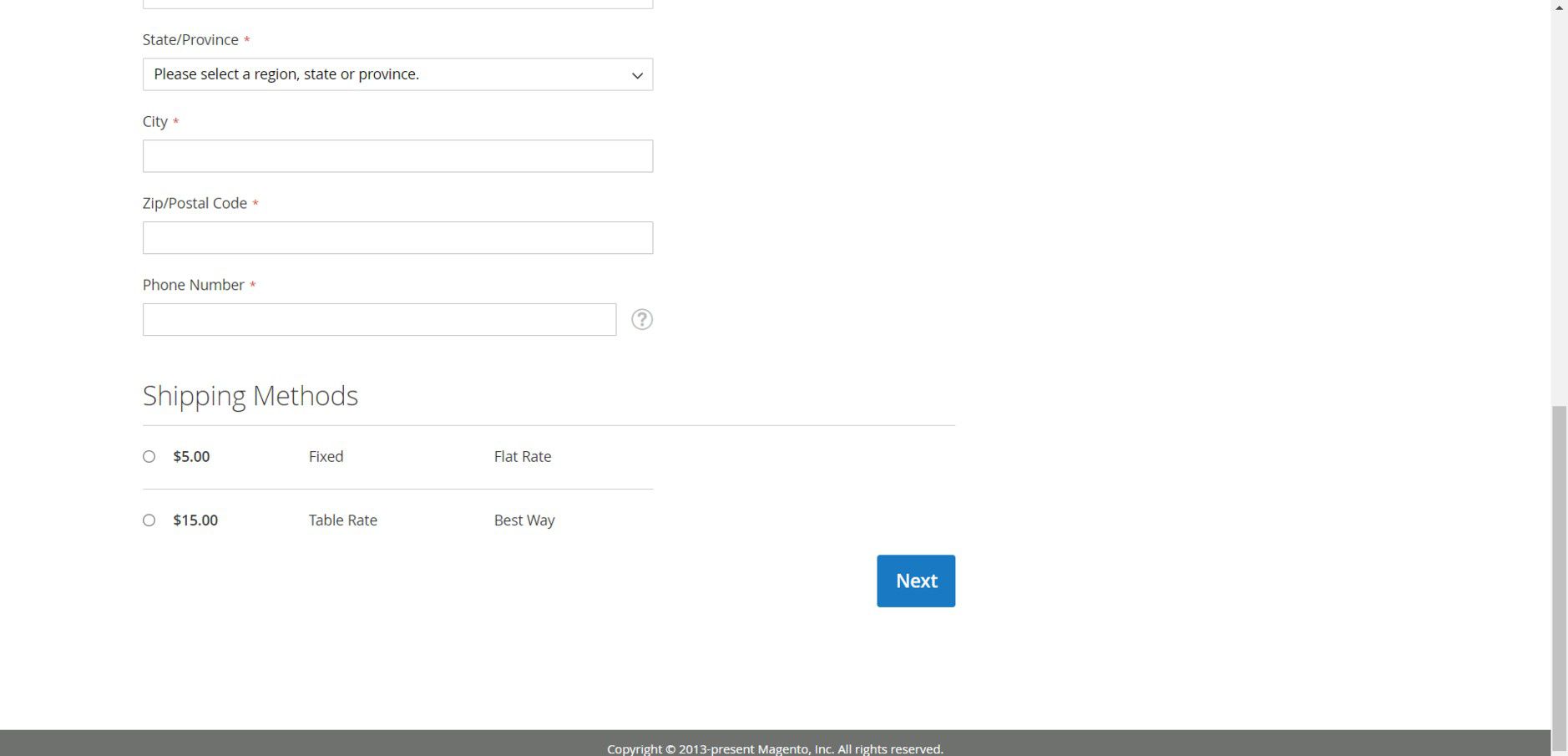
So, all shipping methods are displayed in checkout.
Use case 2 : “Allow/Deny” drop-down is selected with “Deny”.
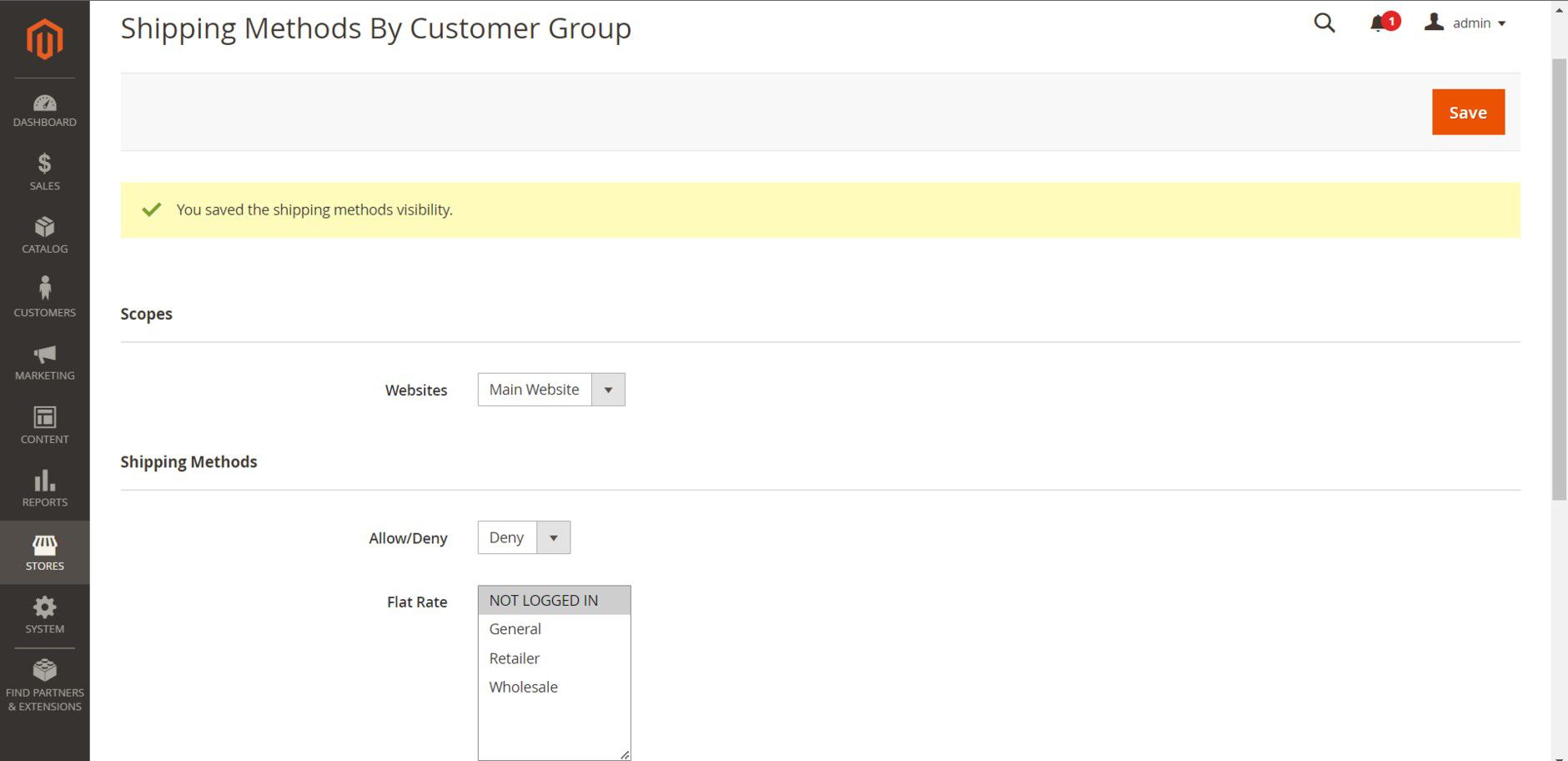
Please note that “Allow/Deny” drop-down is selected with “Deny”.
Select a customer group to deny that customer group the selected shipping method. Here we selected Flat Rate for Not logged in customer group and saved it.
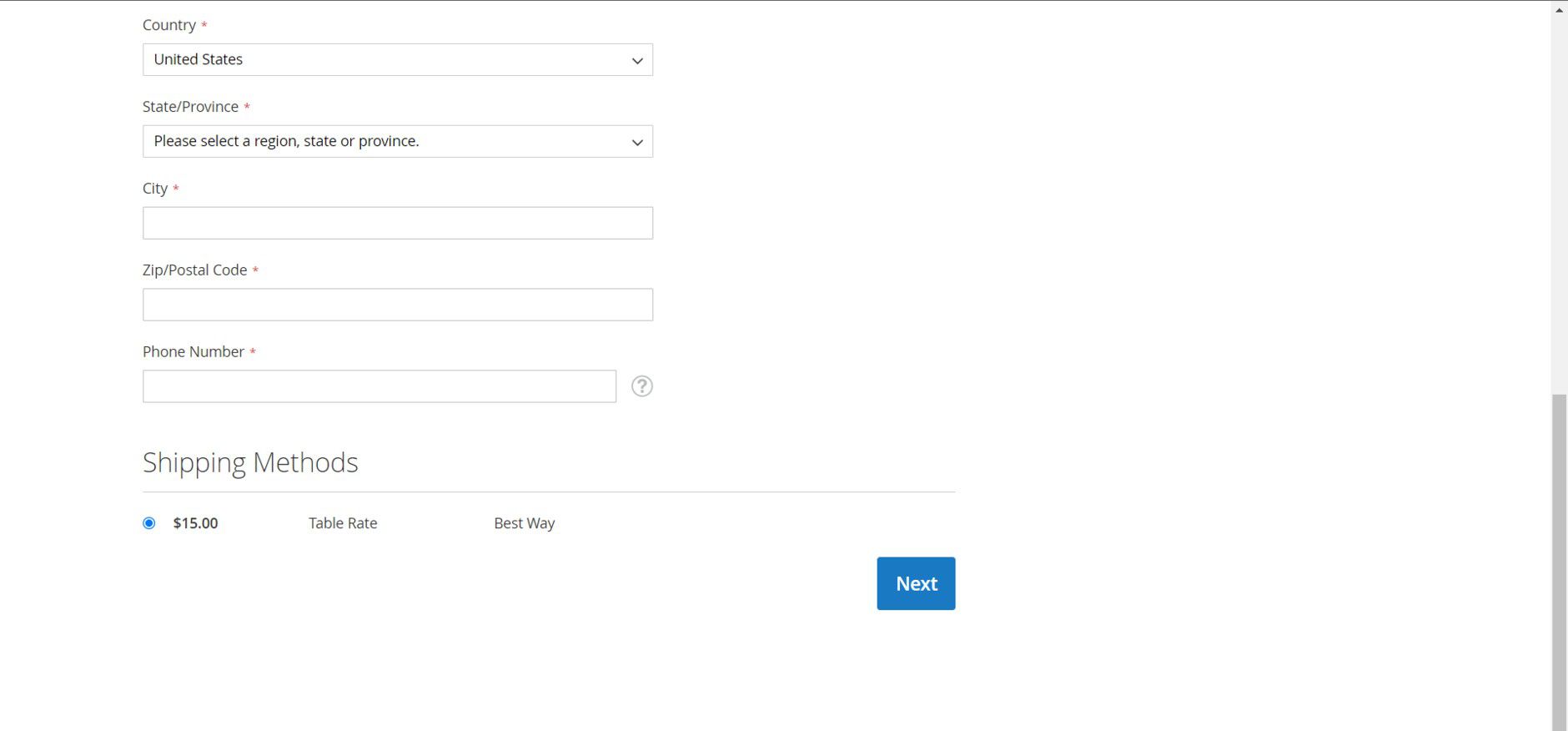
In checkout page, the denied shipping method “Flat Rate” will NOT be displayed for Not Logged In customer group.
Use case 3 : “Allow/Deny” drop-down is selected with “Allow”. None of the shipping methods are allowed
If “Allow/Deny” drop-down is selected with “Allow” and no customer groups are selected, then no shipping method will be shown in the frontend.
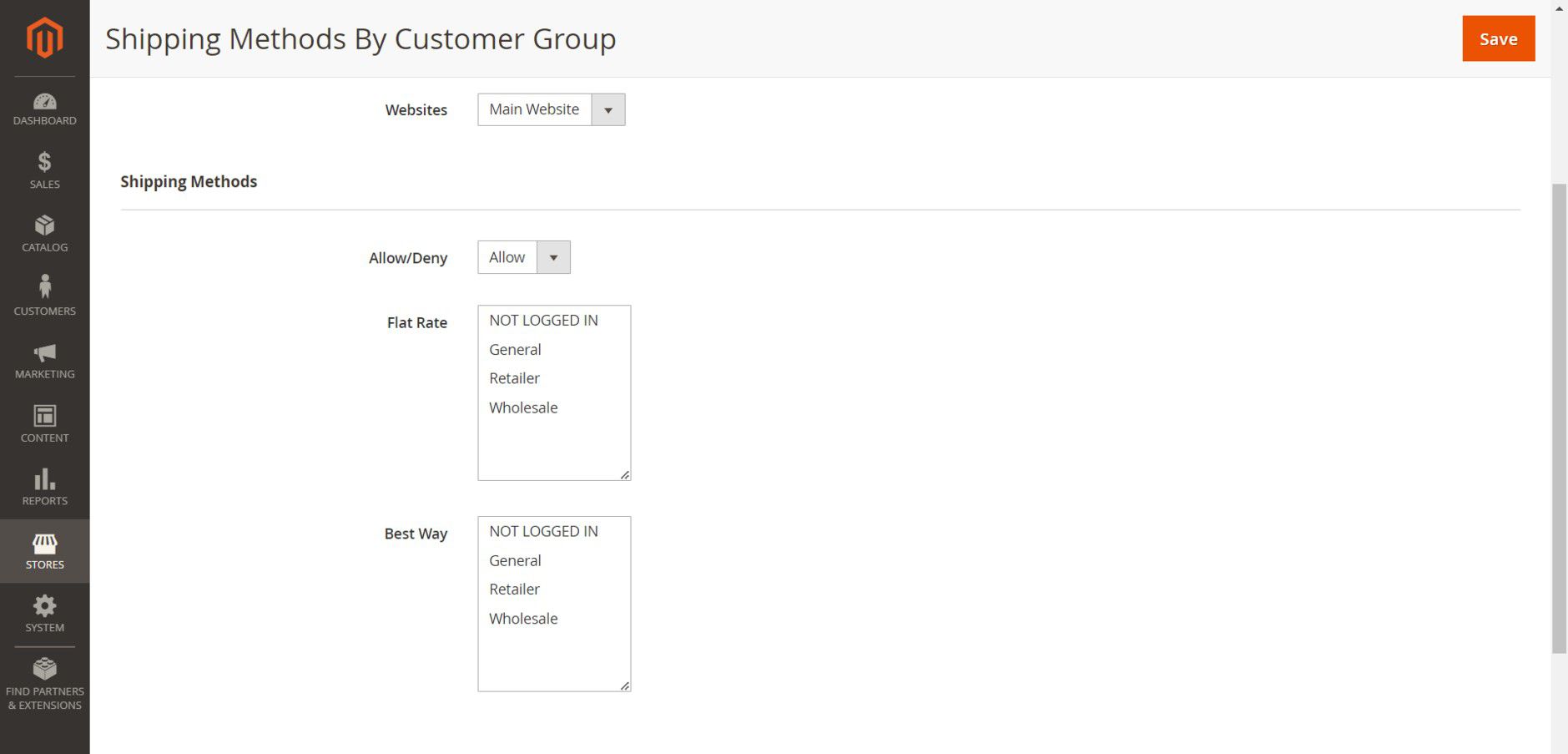
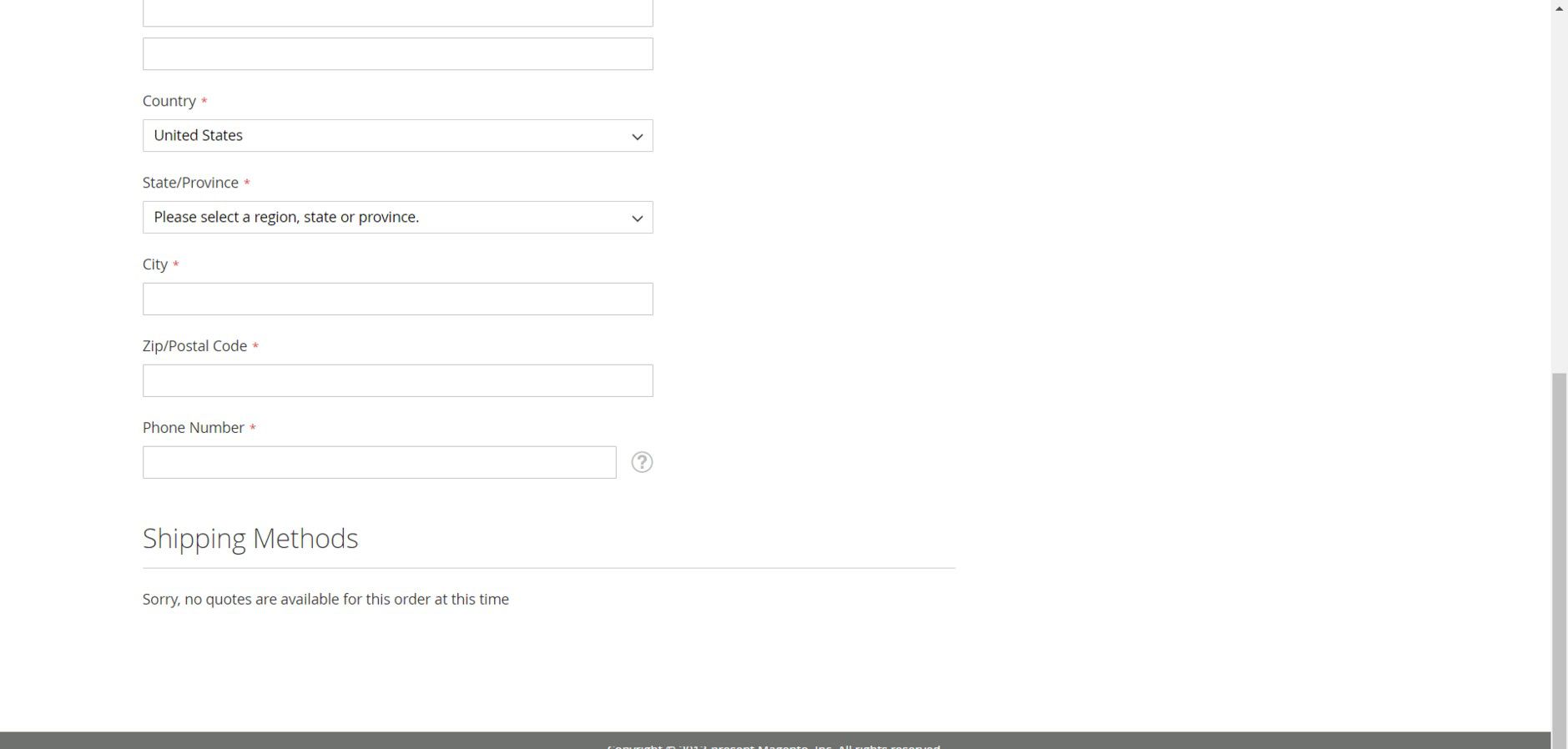
Use case 4 : “Allow/Deny” drop-down is selected with “Allow”.
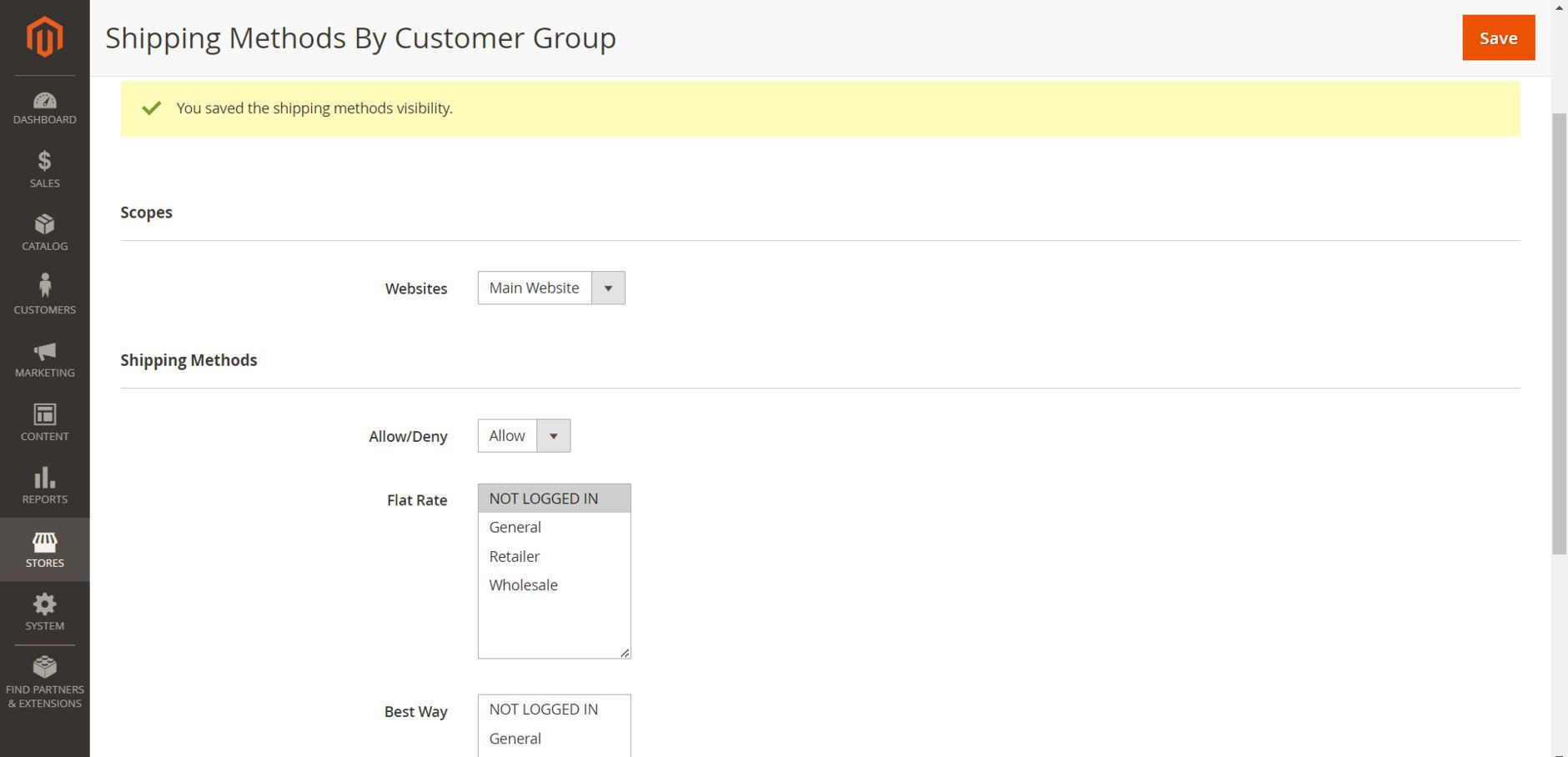
Please note that “Allow/Deny” drop-down is selected with “Allow”.
Select a customer group to allow that customer group the selected shipping method. Here we selected Flat Rate for Not Logged In customer group and saved it.
Only the selected shipping method is displayed in checkout.
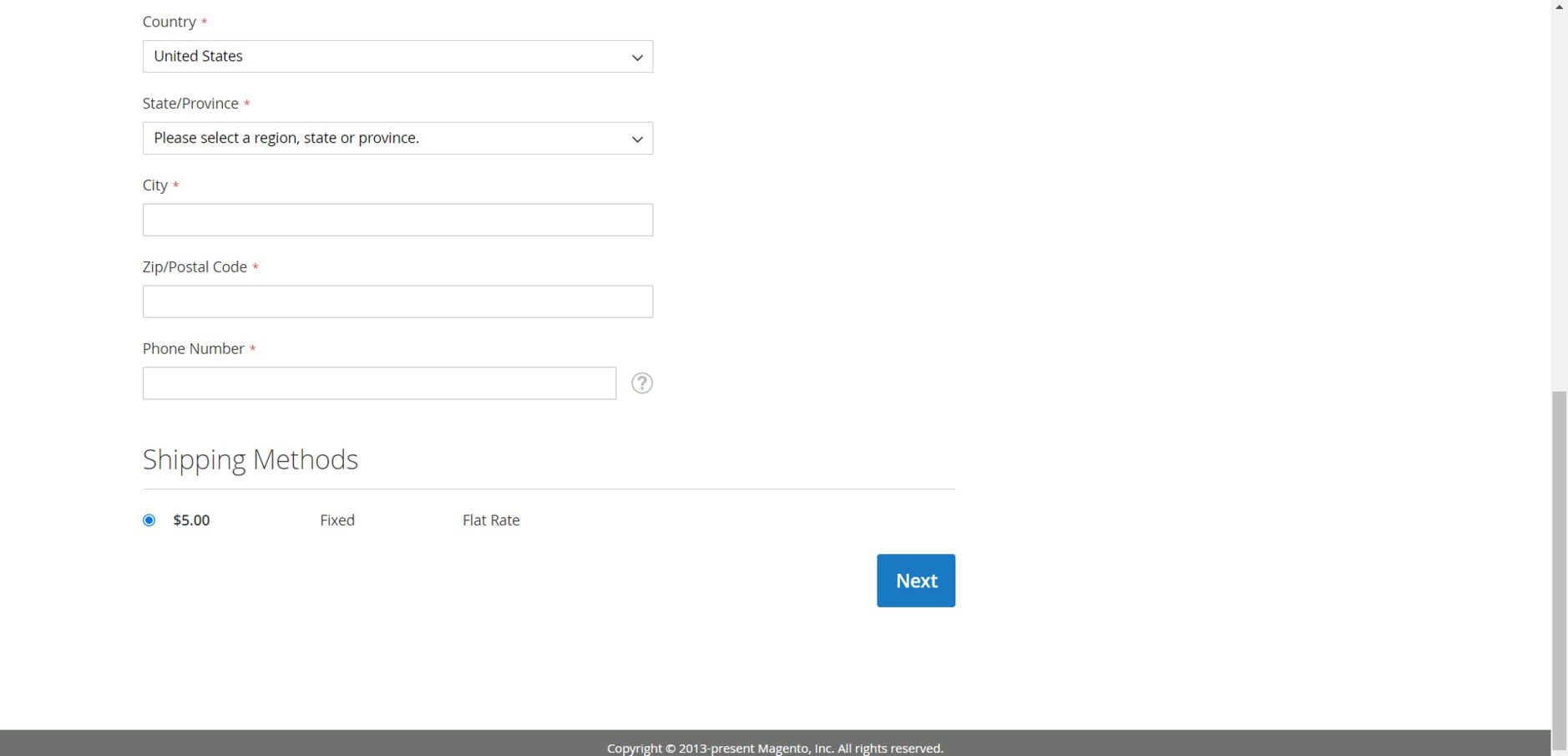
Note:
Only enabled shipping methods in the backend section Stores > Configuration > Sales > Delivery Methods will be shown in the "Shipping method by customer Group" configuration list.
3. Technical Requirements / Compatible with:
Magento Open Source (CE): 2.4.5-p8 - 2.4.9
4. Installation
To install the module, follow the steps below.
Step 1: Download the module/extension and unzip it.
Step 2: Access your web server directories and upload the content of the folder into app/code/Pits/ShippingMethodByCustomerGroup/ directory.
Step 3: Run the following commands to complete the installation.
- Enable the module - php bin/magento module:enable
- Update of the database - php bin/magento setup:upgrade
- Generate and pre-compile classes - php bin/magento setup:di:compile
- Deploy static files - php bin/magento setup:static-content:deploy
5. Supported Languages
English and German languages.
6. Change Log / Release Notes
Version: 1.0.4: July 2026
- Compatible with Magento Open Source (CE) for version 2.4.5-p8 - 2.4.9
- Compatible with Hyvä theme version 1.4.6
Version: 1.0.3: February 2026
- Compatible with Magento Open Source (CE) for version 2.4.5-p8 - 2.4.8-p3
- Compatible with Hyvä theme version 1.4.x
Version: 1.0.2: September 2025
- Enhancement: Added compatibility with Adobe Commerce (EE & Cloud) for version 2.4.x.
Version: 1.0.1: June, 2025
- Compatible with Magento Open Source (CE): 2.4.0 - 2.4.8
- Compatible with Hyvä theme.
- Admin Configuration Enhancements.
Version: 1.0.0
- Compatible with Open Source (CE): 2.4.7-p3
- Admin can show/hide shipping method according to customer groups.
- Allow/Deny option for shipping methods.
7. Support
If you have questions use our contact form in webshopextension.com.