
Categories
Magento
WordPress
SAP Commerce
Odoo
Shopify
Typo3
Shopware
nopCommerce
Pimcore
Hyvä
OXID eShop


































































Product Specification
The Text to Speech extension for Magento 2 allows webpage content to be converted into audio on the storefront. It is mainly designed for frontend usage and provides controls that let users listen to selected text instead of reading it.
On the frontend, users can control how the audio is played. Volume, pitch, and speech speed can be adjusted based on personal preference. These settings are available directly to the user and apply while browsing the store. This makes it easier to listen to product information or CMS content without interacting with additional tools.
The extension allows administrators to define which parts of a page should be converted to speech. This is done using element identifiers. Based on configuration, text from CMS pages or product detail pages can be selected for audio output. This approach works with different page structures and does not require changes to the content itself. The same setup can be reused across multiple pages.
Hyvä theme support is included, so the extension works with fast and responsive storefronts built on Hyvä. Audio playback does not interfere with the page layout or loading behavior.
In the admin panel, text-to-speech functionality is limited to product description and short description fields. Audio customization options are not available in the backend. The focus there is on generating audio that matches the stored content.
The Best Text to Speech Extension for Magento 2 is intended for stores that want to add audio support without changing existing workflows. It provides a simple way to make content accessible and usable through voice. Audio content can also support SEO efforts, as voice-based content is indexed and used by search engines.
Features
Certainly, here is a comprehensive list of the features included in the Text to Speech extension
1. Webpage Text to Speech Conversion: This extension facilitates the conversion of webpage text into speech, allowing users to enjoy content through audio playback.
2. Frontend Audio Customization: The customization of audio output is specifically designed for the frontend of your website. This empowers users to tailor the generated speech to their preferences. Here are the customizable aspects of the audio control:
- Volume Control: You can easily adjust the volume of the generated speech. This is particularly useful for ensuring that the audio is clear and audible without being too loud or too quiet.
- Pitch Adjustment: Fine-tuning the pitch of the speech allows you to make it sound more natural and appealing to the listener. This feature is especially beneficial for maintaining a consistent brand voice or ensuring that the speech aligns with your website's tone.
- Speech Rate: The extension allows you to control the speed at which the text is converted into speech. You can slow it down for a more deliberate and understandable pace or speed it up to cover more content in a shorter time.
3.Improved Accessibility: By offering text-to-speech functionality, you're making your website more accessible to a wider range of users. This is particularly beneficial for individuals with visual impairments, as it enables them to access your content through audio. It also benefits users who prefer to listen rather than read, enhancing their experience on your website.
4. Enhanced User Experience: The ability to customize audio output ensures that the TTS feature seamlessly integrates with your website's design and content. This, in turn, enhances the overall user experience. Visitors can engage with your site in a way that suits their preferences, whether they choose to read or listen to the content.
5. Admin Preview Functionality: This feature is exclusively designed for administrators, offering a comprehensive preview capability for both description and short description within the product edit page. Administrators can leverage this feature to ensure the text-to-speech (TTS) function aligns perfectly with their content.
6.Hyva theme compatible: Hyvä themes is a sane alternative for headless/PWA solutions, using the PHP-templating system that is built into Magento. This extension is compatible with hyva theme.
Installation
To install the Text to Speech Extension for Magento 2, follow the steps below. Please ignore these steps if you are using composer to install the extension.
- Download the extension.
- Access your web server directories and unzip and upload the content of the zip file to app/code/Pits/TextToSpeech directory
- Run the following commands from the SSH terminal of the server to complete the installation.
- Enable the module - php bin/magento module:enable Pits_TextToSpeech
- Update the database schema - php bin/magento setup:upgrade
- Generate and pre-compile classes - php bin/magento setup:di:compile
- Deploy static files - php bin/magento setup:static-content:deploy
- Clear the cache – php bin/magento cache:flush
Admin Panel Configuration
Stores -> Configuration -> Pits Extensions -> Text to Speech
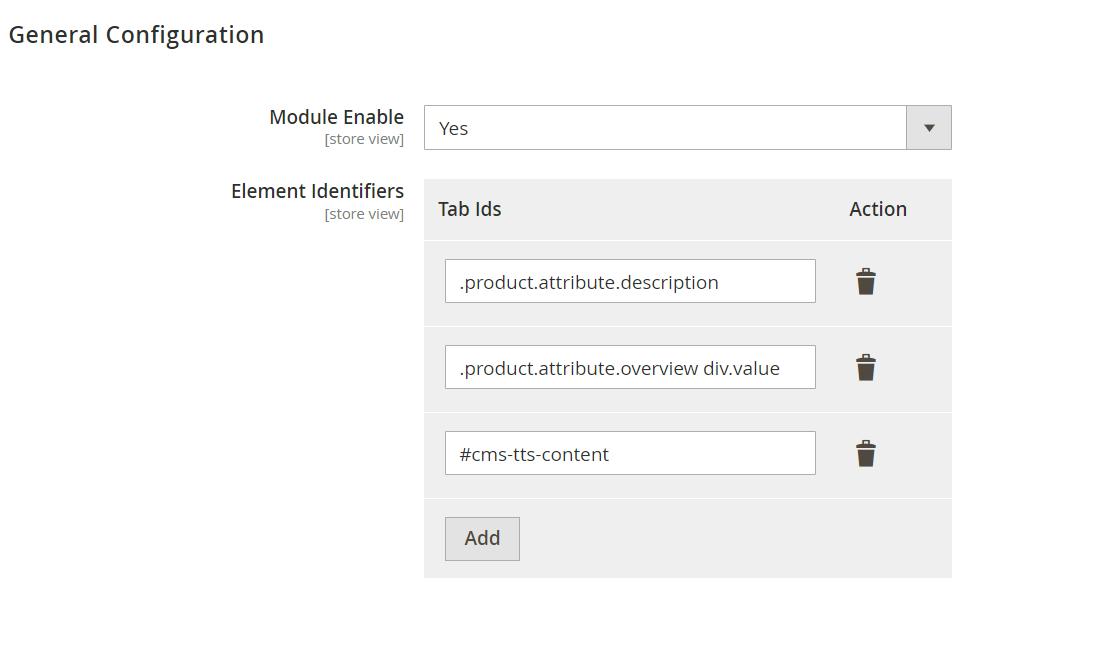
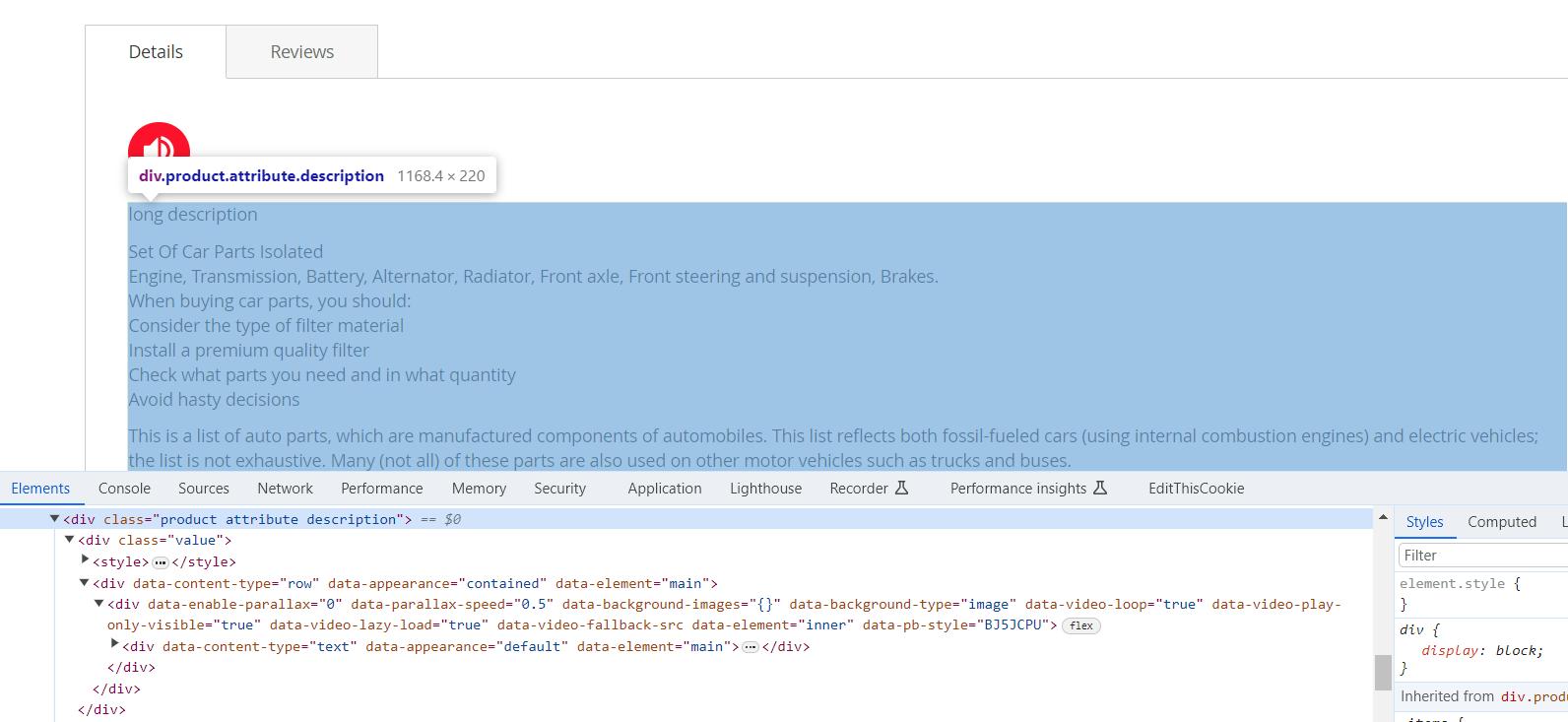
Figure 1.a displays the admin configurations of the extension, which specifies location or placement of the Text to Speech (TTS) feature. The fields are:
Module Enable – Enable / Disable module.
Element Identifiers – Specify the CSS selectors that indicate which elements on the frontend should trigger the Text to Speech (TTS) functionality (Figure 1.b). This setting offers flexible frontend integration, allowing seamless adaptation to your website’s layout and structure.
To identify the correct elements:
- Inspect the desired element in your browser (right-click → Inspect).
- Copy the element's CSS selector, such as .product-description, #main-content, or h1.title.
- Use a dot (.) for class selectors and a hash (#) for ID selectors.
Notes:- For websites using the Hyva theme, make sure to inspect and add the Hyvaspecific element identifiers separately, as they may differ from Luma or other custom themes.
How It Works in Frontend
When customers navigate to a product page, they can click a speaker icon to access an TTS feature, enabling them to listen to the product's content. This provides an alternative way to engage with the information, enhancing the user experience. It caters to different preferences and accessibility needs, making the product details more accessible.
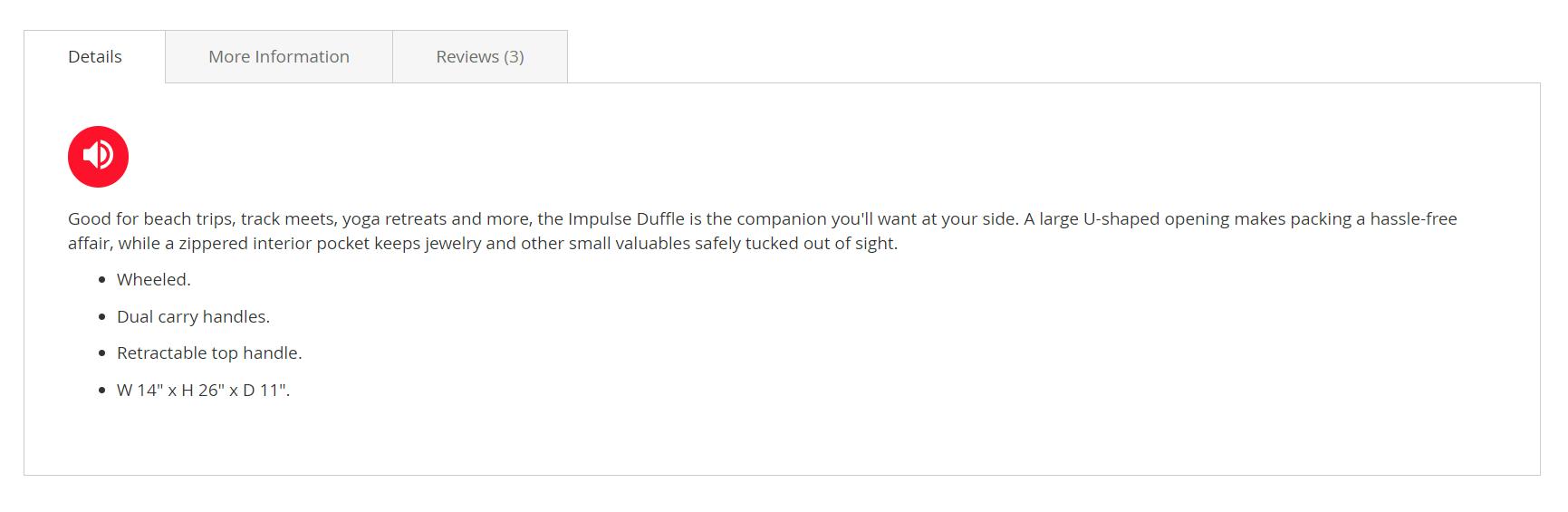
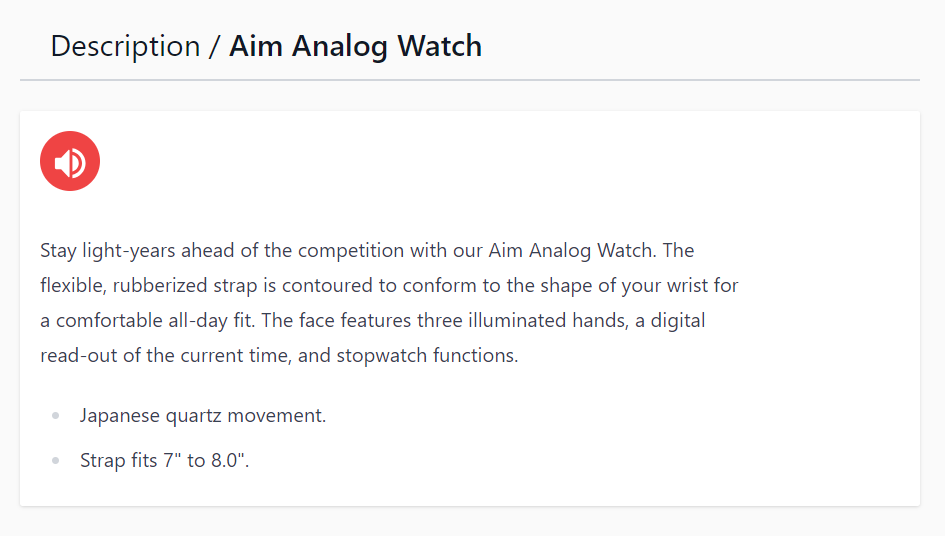
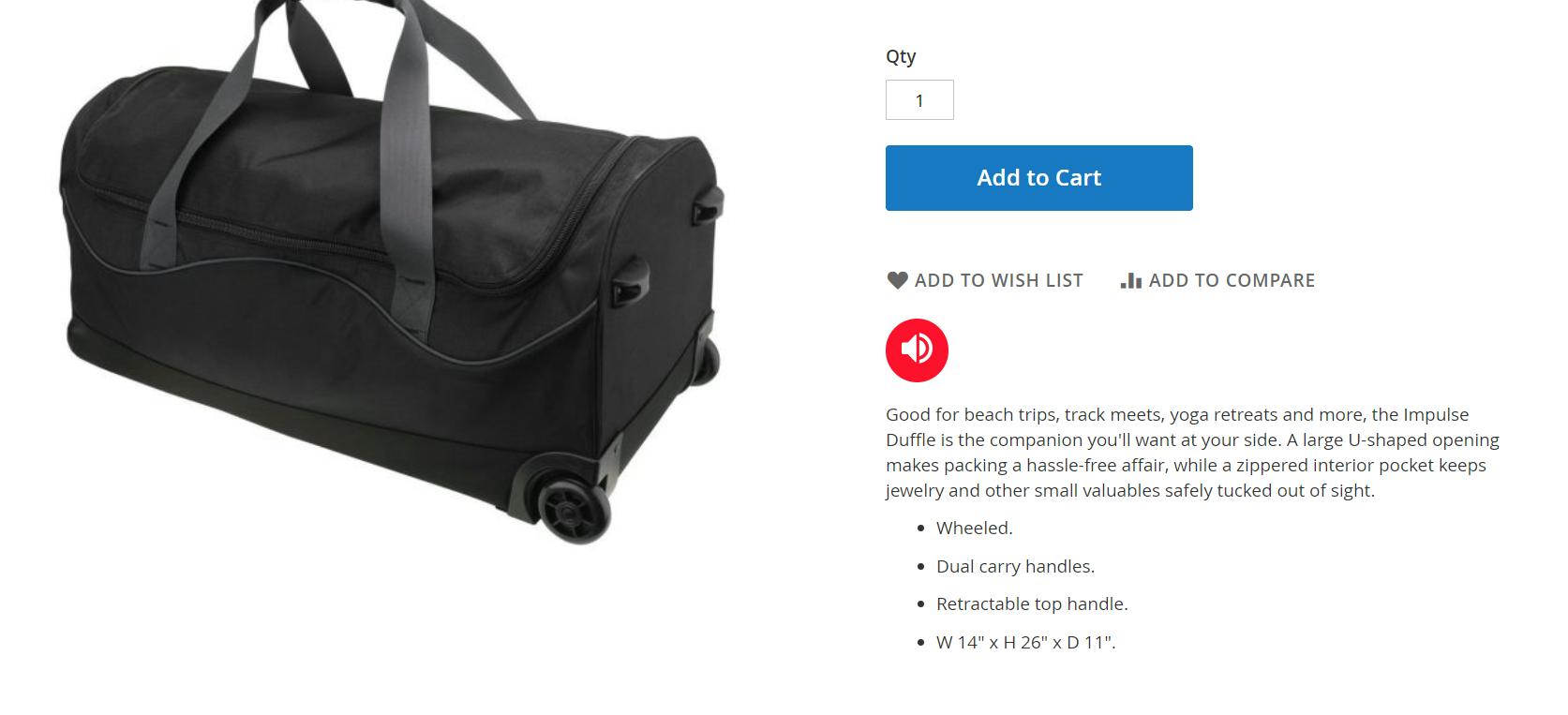
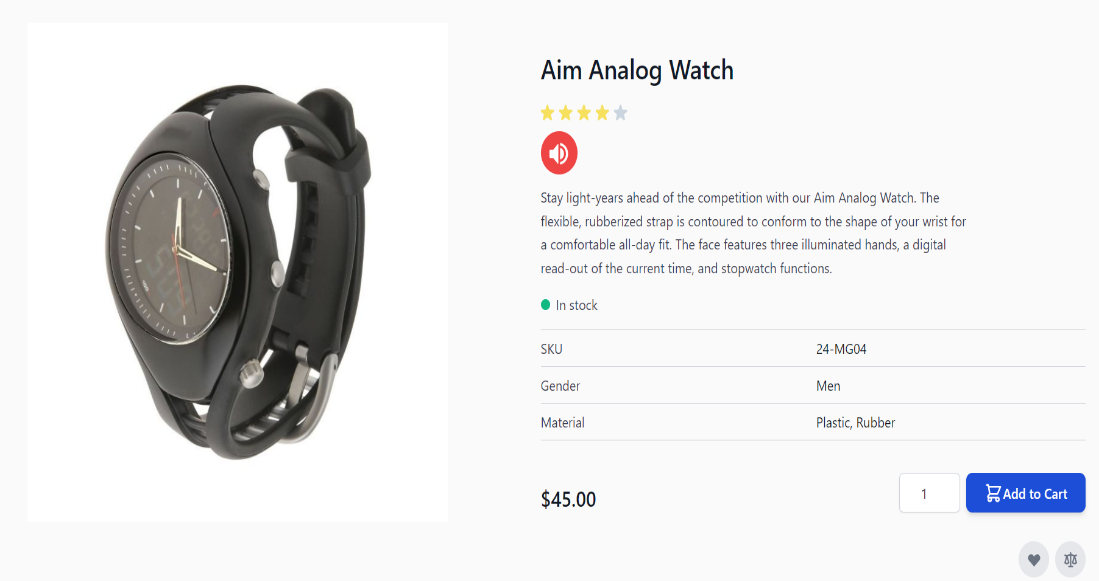
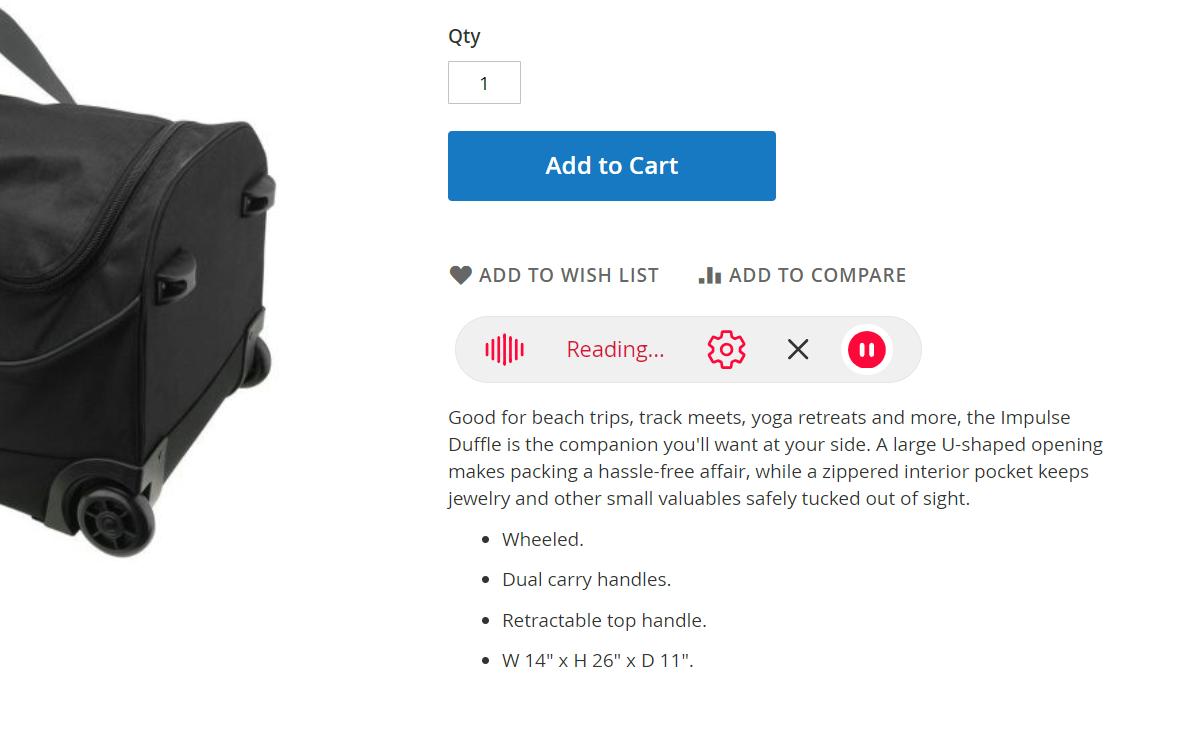
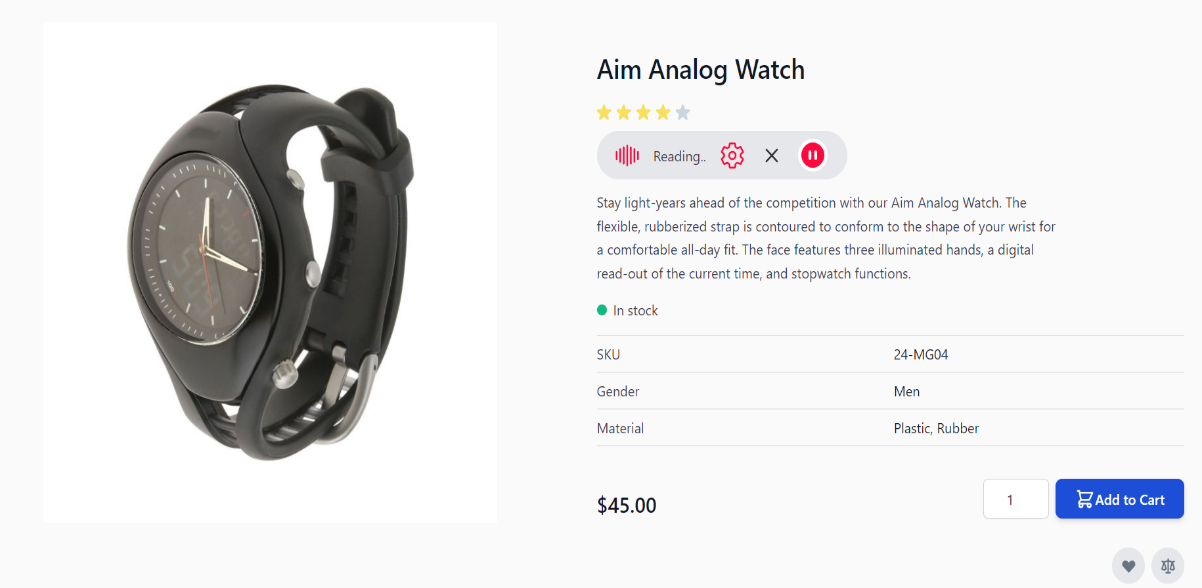
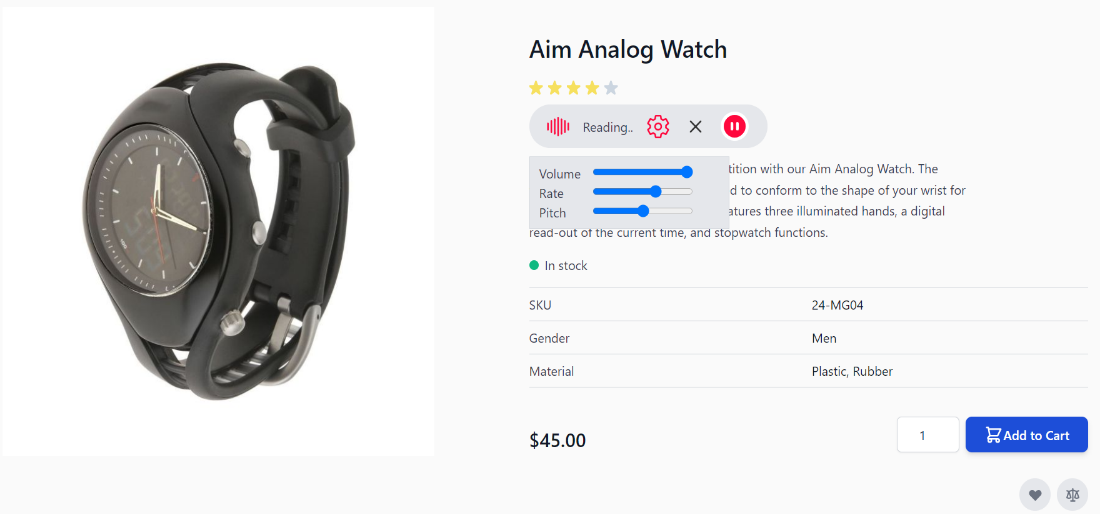
In Figure 4, There is a symbol representing "Pause audio" which, when clicked, changes to "Resume audio" allowing users to switch between pausing and resuming audio playback seamlessly.
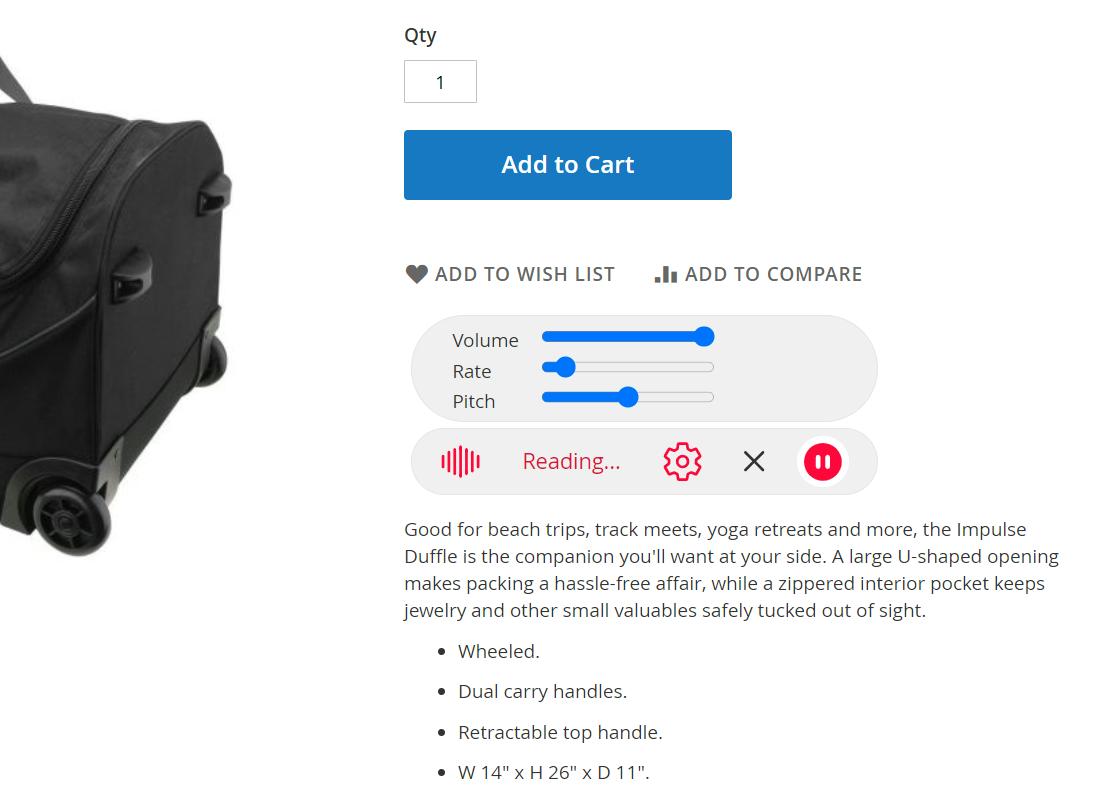
Furthermore, when user click the settings, users have the option to fine-tune their audio experience with customizable settings. They can adjust parameters such as playback rate, pitch, and volume to suit their personal preferences and requirements, giving them control over how the audio is heard (Figure 5). There is a "cancel audio" function indicated by an 'X' sign. This function likely allows users to terminate audio playback completely.
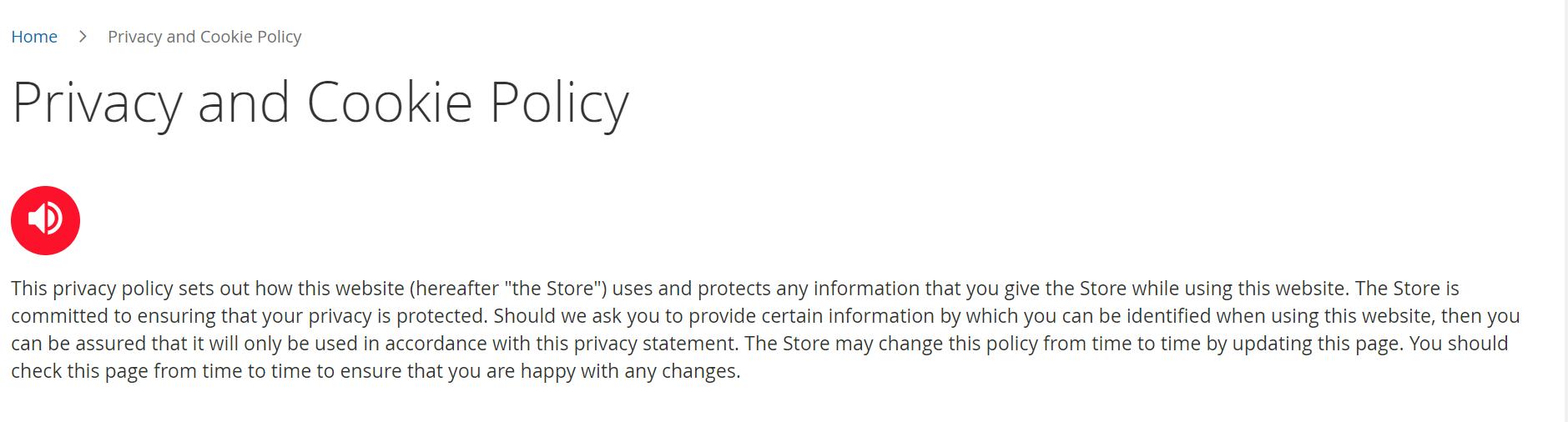
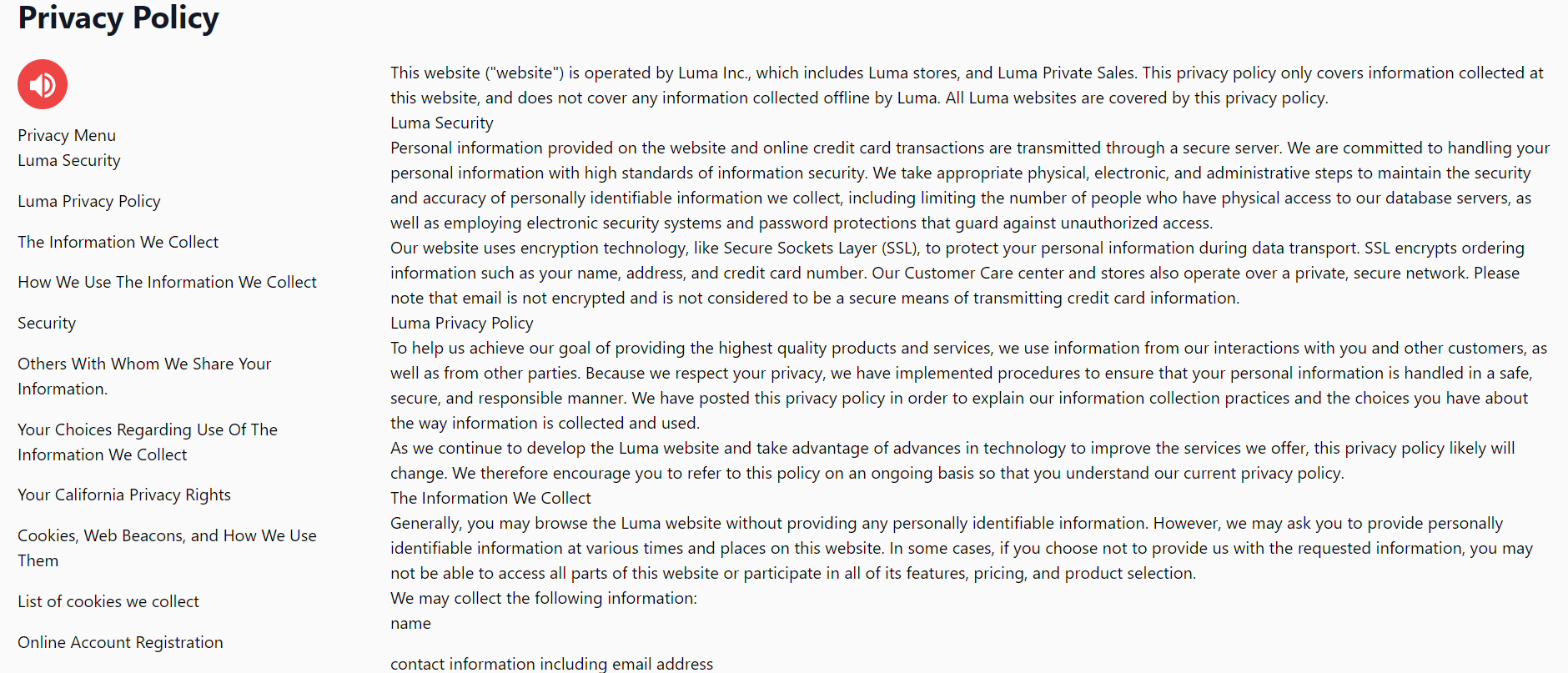
In addition, the Text-to-Speech (TTS) feature can be seamlessly integrated into CMS pages (Figure 6) by including the unique element identifier in the admin configurations. This customization allows for the dynamic conversion of text content on these pages into spoken words, enhancing accessibility and user experience. By specifying the element identifier in the admin settings, administrators can easily enable TTS for specific content areas, making their Magento 2 website more inclusive and user-friendly. This feature greatly benefits users those who prefer auditory interactions with the site.
How It Works in Backend
When administrators navigate to a product edit page and click on the content tab, this action triggers the addition of a preview button next to the save button. Within the preview button, options for reading description and short description are available. In addition, it has controls for pausing, resuming, and cancelling audio playback. The audio playback controls become active only when the reading description or short description options are clicked, providing administrators with on-demand control over the audio preview. It's important to note that there are no additional customization controls for audio in the Admin Panel beyond the features mentioned above.
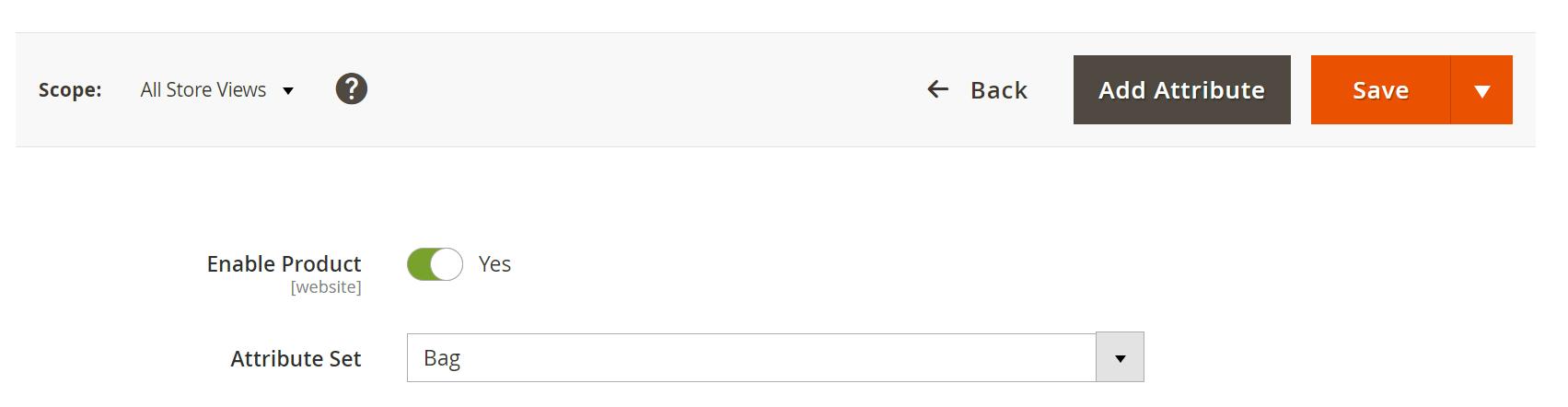
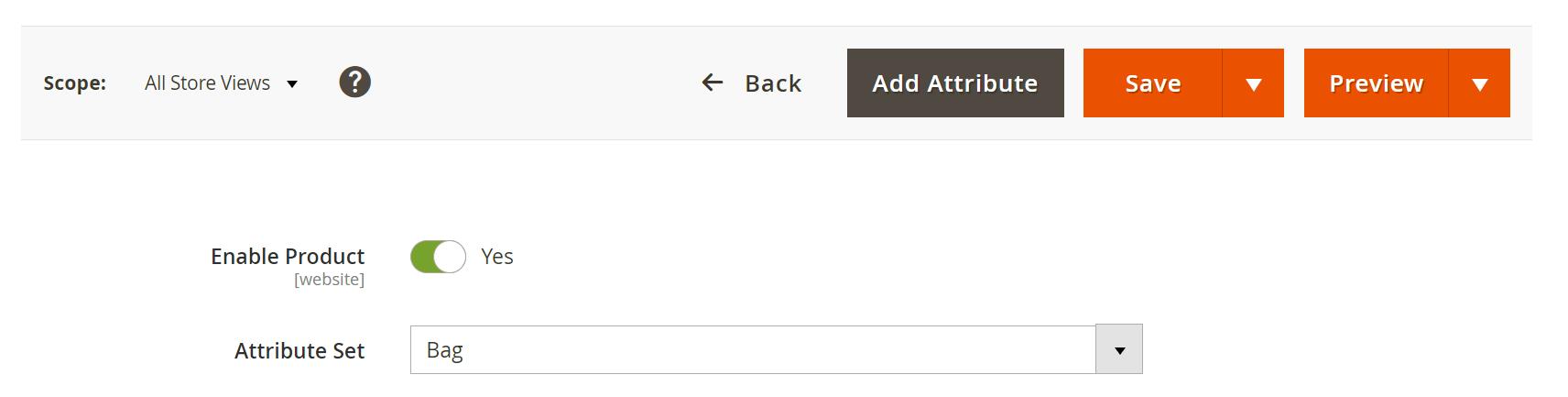
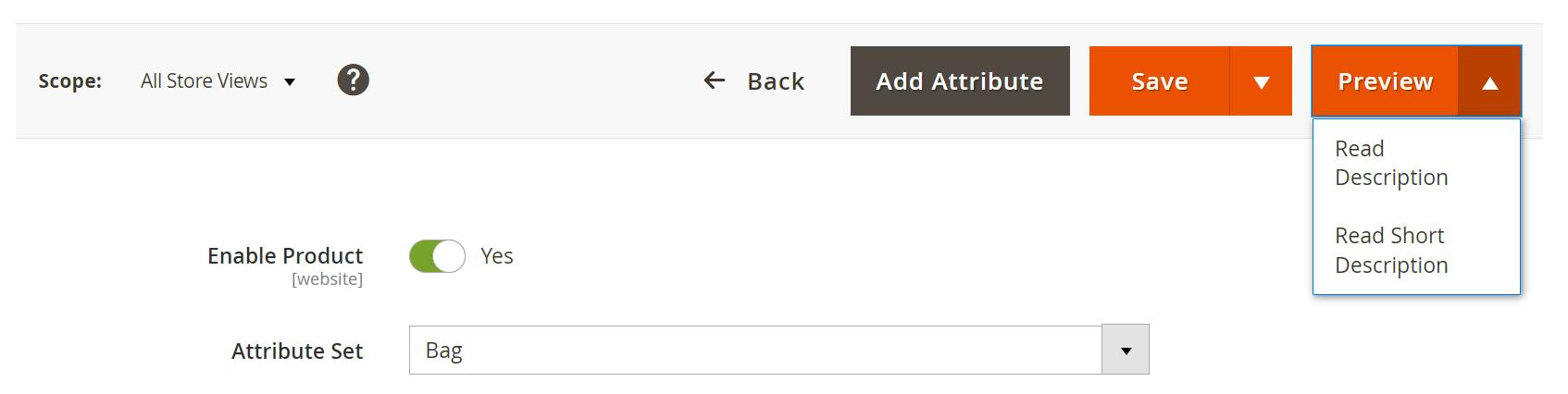
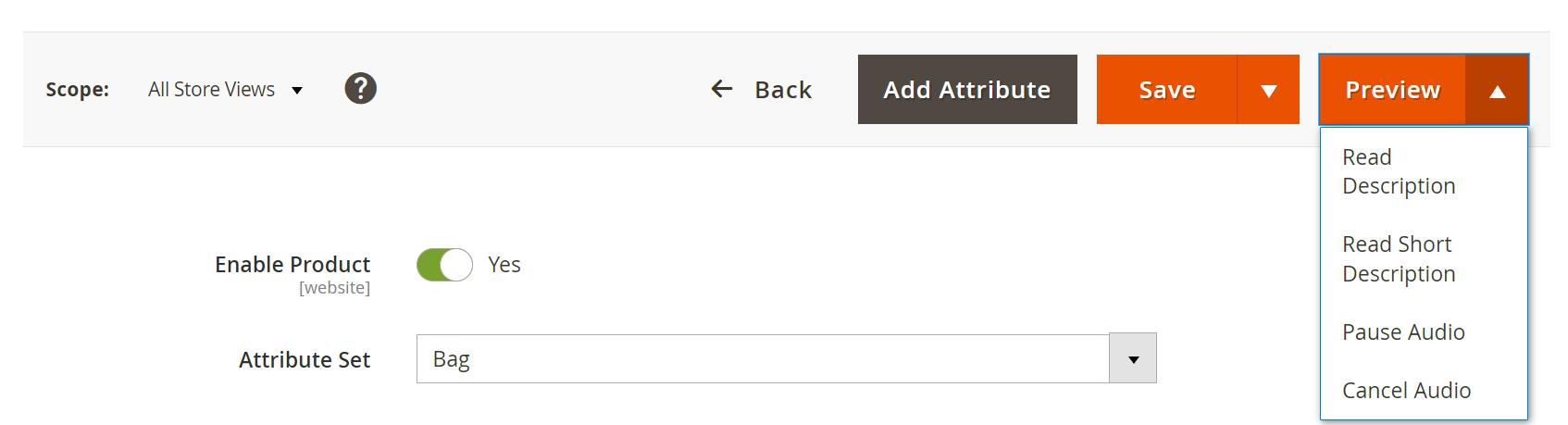
In Figure 10, the Pause audio toggles to resume when audio is paused and vice versa. Here are the options available in admin preview.
- Read Description: Clicking this option initiates the audio playback of the product description. It allows administrators to listen to the description to ensure it aligns perfectly with their content.
- Read Short Description: Selecting this option triggers the audio playback of the product's short description. This provides administrators with an auditory preview of the short description's content.
- Pause Audio: This control allows administrators to temporarily halt the audio playback. Pausing the audio is useful when they need to briefly interrupt the playback to discuss or make changes.
- Resume Audio: Clicking this control resumes audio playback from where it was paused, ensuring that administrators can continue reviewing the content seamlessly.
- Cancel Audio: The Cancel Audio option stops the audio playback entirely. Administrators can use this if they wish to end the audio preview and make further adjustments to the product content.
Limitation
Resume after Pause is not supported in Android devices.
Technical Requirements / Compatible with:
Magento Open Source (CE) 2.3.x, 2.4.x
Adobe Commerce (EE & Cloud) 2.4.x
Supported Languages
English, German, Italian, French and easily customizable for other Magento supported language pack.
Change Log / Release Notes
- Version: 1.0.6: December 2025
- Compatible with Hyva theme 1.4.1
- Version: 1.0.5: August 2025
- Enhancement: Added compatibility with Adobe Commerce (EE & Cloud) for version 2.4.x.
- Version: 1.0.4: June 2025
- General optimizations and performance improvements for better stability and compatibility.
- Version: 1.0.3: June 2025
- Compatible with Magento Open Source (CE): 2.4.8
- Compatible with Hyva Theme : 1.3.14
- Version: 1.0.2: June 2024
- Compatible with Open Source (CE): 2.4.7-p1
- Version: 1.0.1: February, 2024
- Hyvä Theme compatibility
- Version: 1.0.0: October, 2023
- Initial version
- Version: 1.0.0: June 2020
- Added admin configuration option to enable or disable the module.
- Added auto assign past guest orders to customer during registration.
- Added email configuration for admin users.
- Added access control for admin users.
Support
If you have questions, use our contact form in webshopextension.com.